Component Dates
The Dates section provides a clear and concise snapshot of key timestamps in a component's lifecycle. These dates offer valuable insights into when a component was created and last modified. Teams also align it with sourcing milestones such as quoted lead times, expected supplier deliveries, and gate dates that affect material readiness.
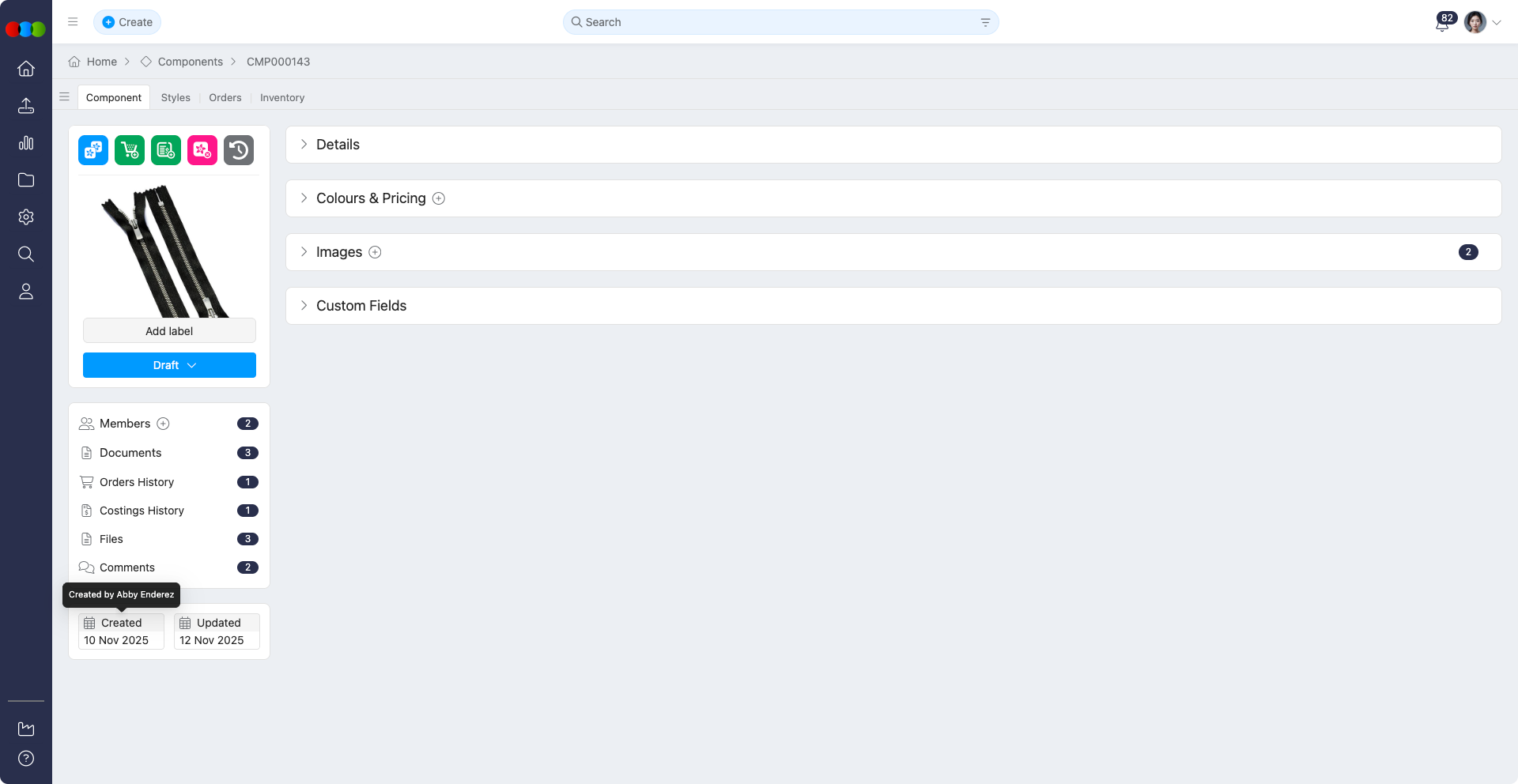
This section is automatically populated by the system and appears within each component record. It is essential for version control, tracking activity, and aligning with project milestones.
Key Timestamps
| Field | Description |
|---|---|
| Created | The exact date and time the component was first created. |
| Updated | The most recent date and time the component record was modified. |
Read-Only Fields
All date fields in this section (Created and Updated) are system-generated and cannot be manually edited, ensuring data integrity.
Best Practices
Support Audit Trails: The Updated timestamp is a valuable part of an audit trail. If an unexpected modification occurs, this date allows you to quickly pinpoint when the change happened and cross-reference it with the component's history to understand the context.
Manage Data Hygiene: Periodically review components using the Updated date to identify stale or inactive records. This practice helps in archiving obsolete components and maintaining a clean, relevant, and efficient database.
Dates across applications
The component Dates widget only exposes Created and Updated on the component. It does not replace milestone dates on Order › Dates, Style › Dates, or Shipping › Dates. Lead-time and gate expectations usually belong on those records or on critical path.
Component Compliance ties orders to supplier/factory compliance validity dates even though component timestamps here stay unchanged.
Read Dates across applications for how compliance windows, orders, and shipments relate.