Dates
The Dates widget surfaces system-maintained timestamps for create, last update, and completion on each costing. Values are read-only to preserve audit integrity and milestone accuracy across the lifecycle. Hover completion where supported to see who marked the record finished. Those timestamps anchor costing validity and review timelines implied by when the build was created, last revised, or marked complete. Teams use them to judge whether a cost sheet still reflects current prices and approvals before linking it to new orders.
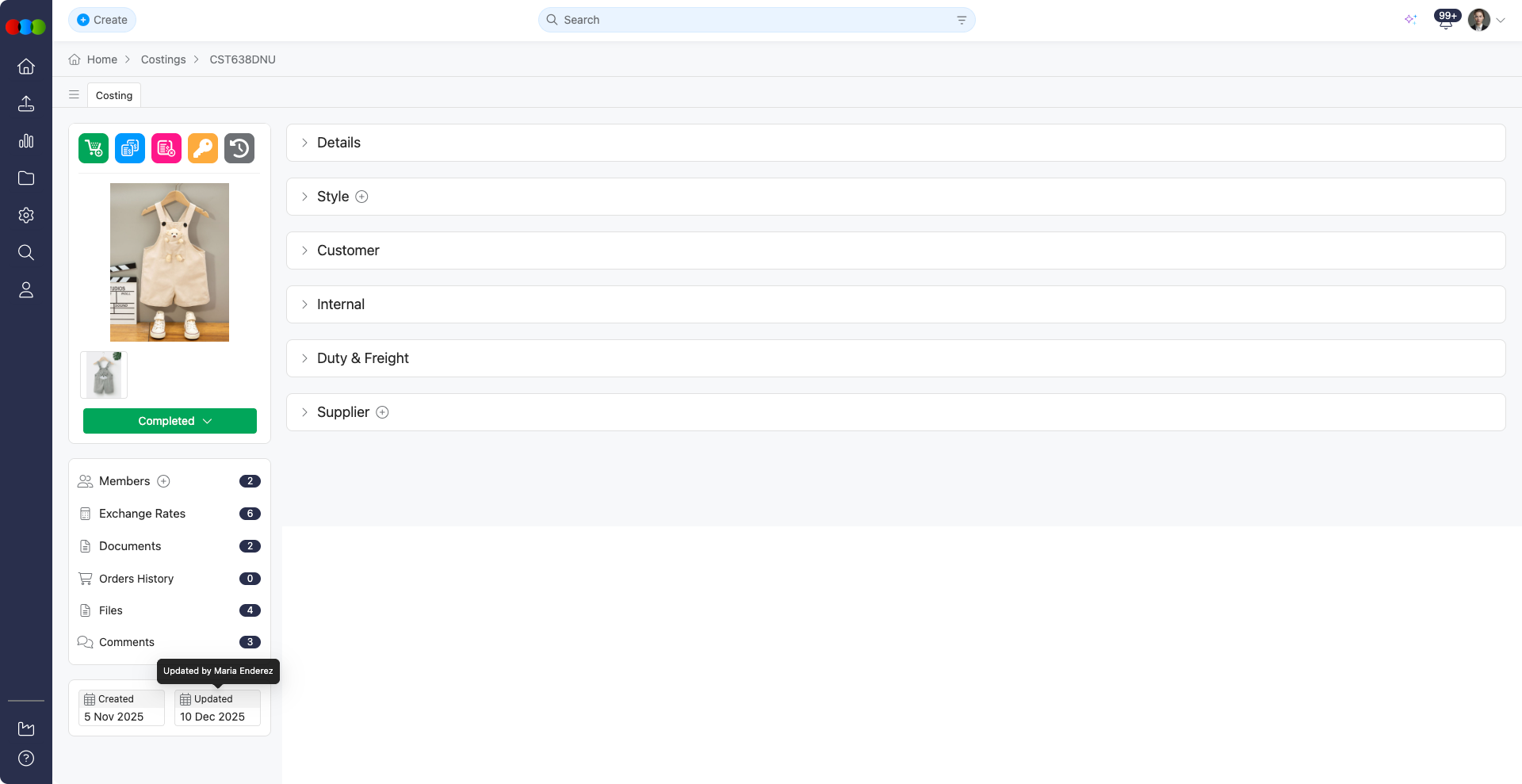
Key Timestamps
| Field | Description |
|---|---|
| Created | Timestamp showing when the costing item was initially created. |
| Updated | Timestamp reflecting the most recent time any changes were made to the record. |
| Completed | Displays when the costing was marked as Completed. As soon as you change status to Completed, this field updates immediately to show the date. You do not need to save or refresh the page separately. When you hover over this field, you will see who marked it as completed. |
Read-Only Fields
The Created and Updated fields are system-controlled and cannot be modified by users.
Best Practices
Track Change History: Monitor the Updated field to identify when significant modifications were made, helping you understand the costing item's evolution and pinpoint when critical decisions occurred.
Dates across applications
Costing Dates are lifecycle timestamps for the costing sheet (Created, Updated, Completed). They do not mirror Order › Dates milestone fields on linked orders. A costing marked complete reflects approval or closure of the cost build; not automatic closure of production milestones on the order.
For how costing timestamps relate to orders, shipments, and compliance-driven workflows, see Dates across applications.
Related Actions
- Create New Costing
- Manage Advanced Costing Details
- Add Costing Comments
- Delete Costing
- View Costing Documents
- Duplicate Costing
- View Costing Exchange Rates
- Add Costing Files
- View Costing History Log
- Add Costing Members
- View Costing Order History
- View Costing Preview Image
- Update Costing Status
- Manage Access Permissions