Status
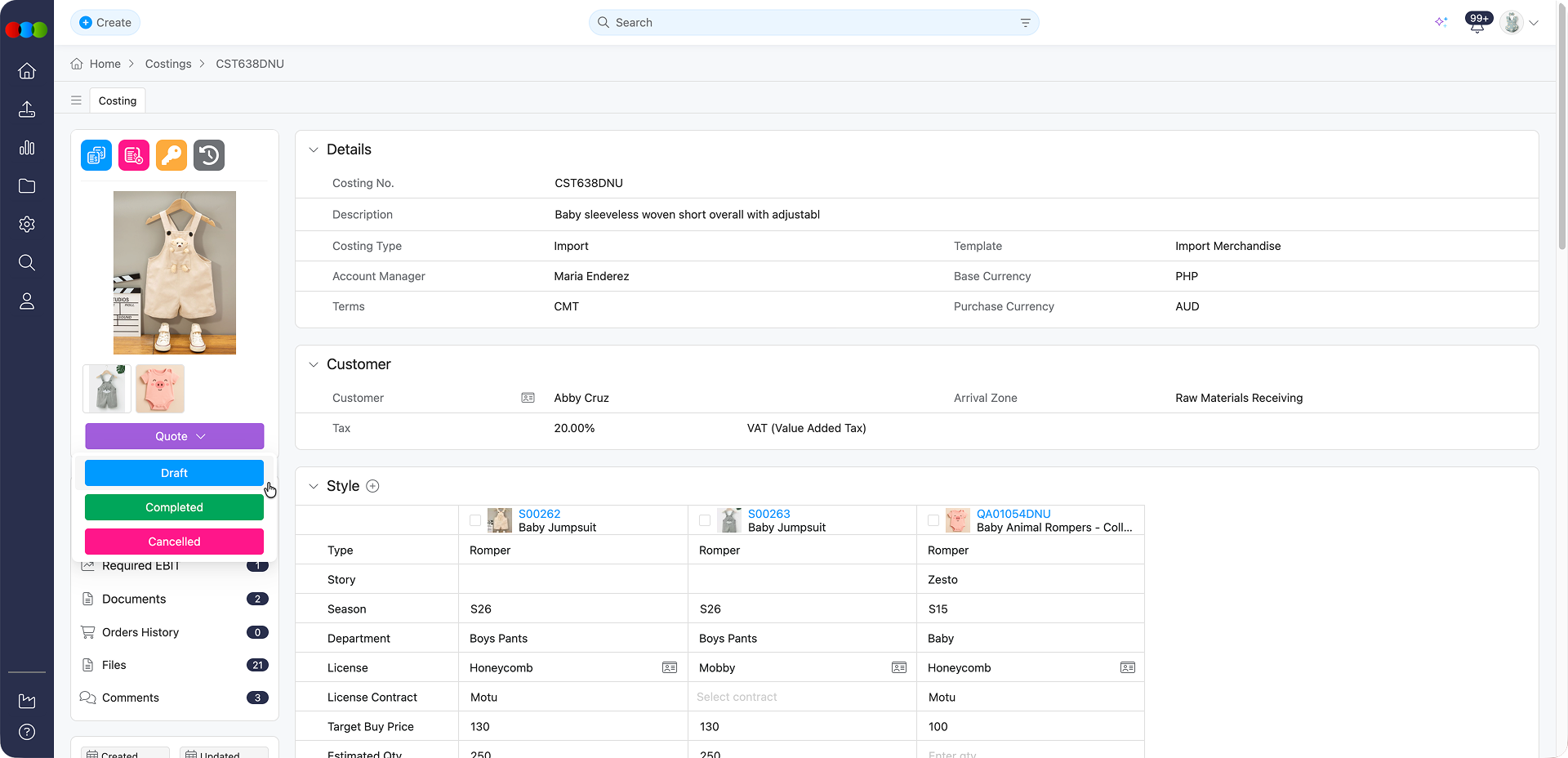
The Status section tracks each costing item through its lifecycle so teams see whether work is draft, active, completed, or expired. The control sits at the bottom of the preview image and saves changes as soon as you pick a status. Use it to align approvals, reporting, and retirement of outdated price builds. Status mirrors the costing approval workflow: Draft whilst iterating numbers, Active when approved for operational use, Completed when the costing is finished (which may open the Completed Status pop-up to push pricing to the style), and Expired when the costing is no longer relevant/currrent. Pair it with Advanced Details status when templates require parallel internal tracking before pricing pushes to the style.
Core Actions
These actions are available to all users with access to the costing record and allow for basic status management.
| Feature | Description |
|---|---|
| Update Status | Open a costing and click the Status button. Select a new status from the dropdown list. The change will be saved automatically and reflected throughout the system. When you select Completed, the Completed field under Dates updates straight away to show the completion date (a Completed Status pop-up may also appear; see Advanced Details and your costing type guide). (Available to all users with costing access) |
Status Options
| Status | Description |
|---|---|
| Draft | Indicates that the costing is still being prepared and is not yet in use. |
| Active | The costing is finalised and currently in use. |
| Completed | The costing run is finished. The Completed date in Dates updates as soon as you set this status. Depending on your template, choosing Completed may open the Completed Status pop-up to review or apply pricing to the style. See Advanced Details. |
| Expired | The costing is outdated and should no longer be used for decision-making. |
Why Status Matters
Keeping costing statuses up to date helps avoid mistakes and ensures that teams are always working with accurate and current information.
Best Practices
Use Draft Whilst Preparing: Use Draft whilst preparing costings to prevent premature use.
Switch to Active After Review: Switch to Active only after internal review and sign-off.
Periodically Review Expired Items: Periodically review and Expire outdated costings to maintain system hygiene.