Dates
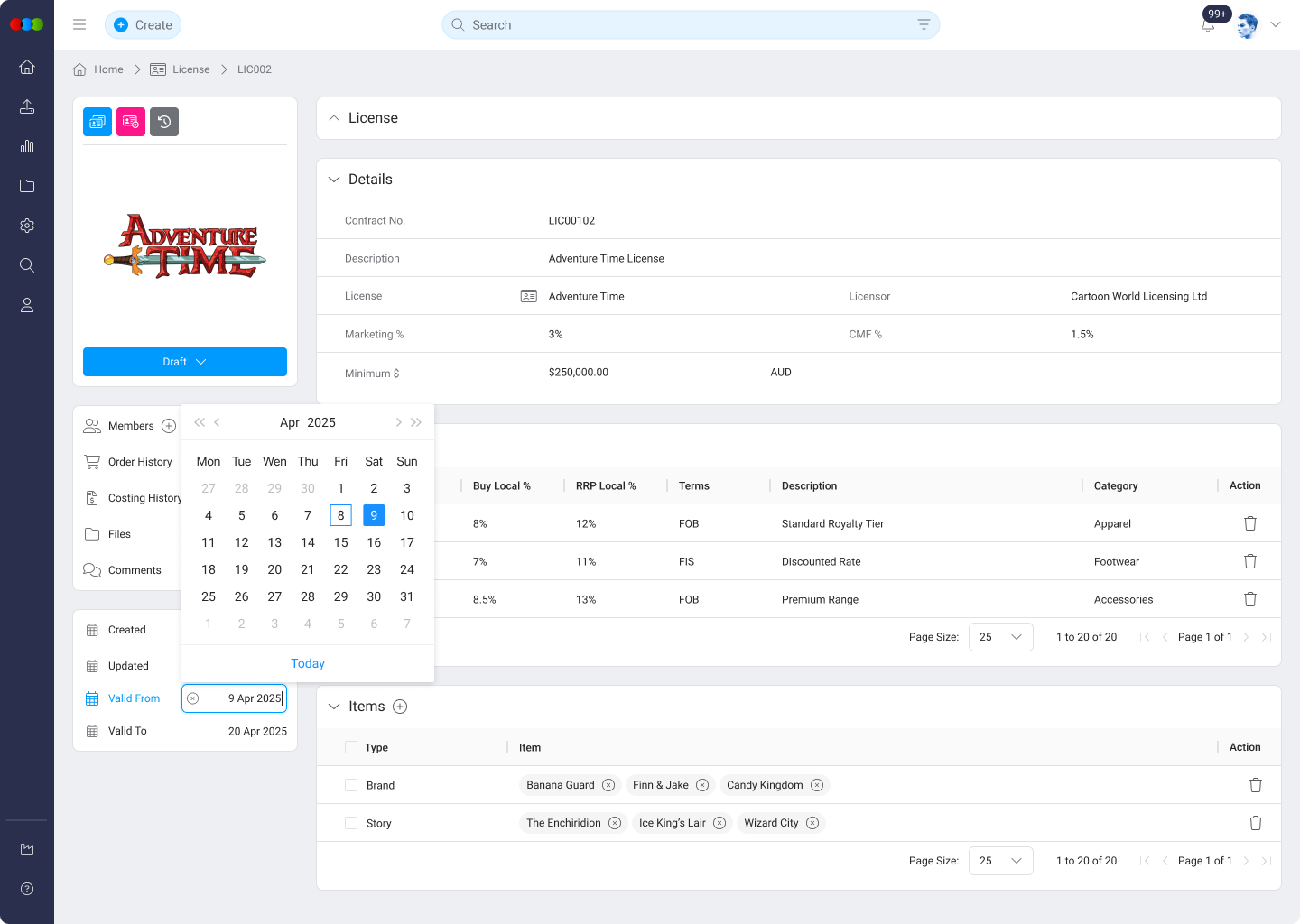
The Dates section tracks key timestamps related to a license contract. It combines system-generated metadata with user-defined timeline entries, supporting both operational tracking and compliance reporting.
This section helps users understand the lifecycle of a license, including when it was created, updated, or completed, along with other important contractual dates. Custom dates often capture agreement effective dates, renewal deadlines, and royalty payment milestones aligned with contract clauses. Together with read-only system timestamps, they give licensing and finance teams a single timeline for obligations and audits.
Date Fields
| Field | Description |
|---|---|
| Created | System-generated. Records the date the license was first created. |
| Updated | System-generated. Indicates the last time any changes were saved to the license. |
| Completed | System-generated. Set when the license is marked as completed or closed. |
Helpful Tips
- Use descriptive labels for custom date fields to clarify their purpose (e.g., Renewal Deadline, Review Date).
- Ensure that manual date updates reflect contract terms or internal policy timelines.
- Rely on system-generated dates for auditing and reporting accuracy.
Dates across applications
Contract-style dates on the license support legal and royalty workflows. They do not automatically update Style › Dates, Order › Dates, or Planner › Dates. These applications keep their own milestones for development and production.
If licence windows drive launch timing, align Order › Dates manually when obligations change. See Dates across applications.