Release Notes - 24th of April 2026
Site Settings > Planner > General Settings > Planner Documents
You can now choose how style images appear across Planner-generated documents.
In Site Settings > Planner > General Settings, a new Planner Documents lets you set the default image approach for your site so Storyboard, Range Planner, and Option Plan exports stay consistent.
A new field, Images included in the planner documents, offers a dropdown with two options:
- Style colour image (default) - When a colour image exists for the style in Style > Colours, that image is used in the document output.
- Main Style preview image and colour swatch - Generated documents use the main Style Preview image and, where available, a small colour swatch in the right-hand corner, instead of the per-colour Colour image, even if a Colour image was uploaded for that style.
Site Settings > Planner > General Settings > Planner Documents 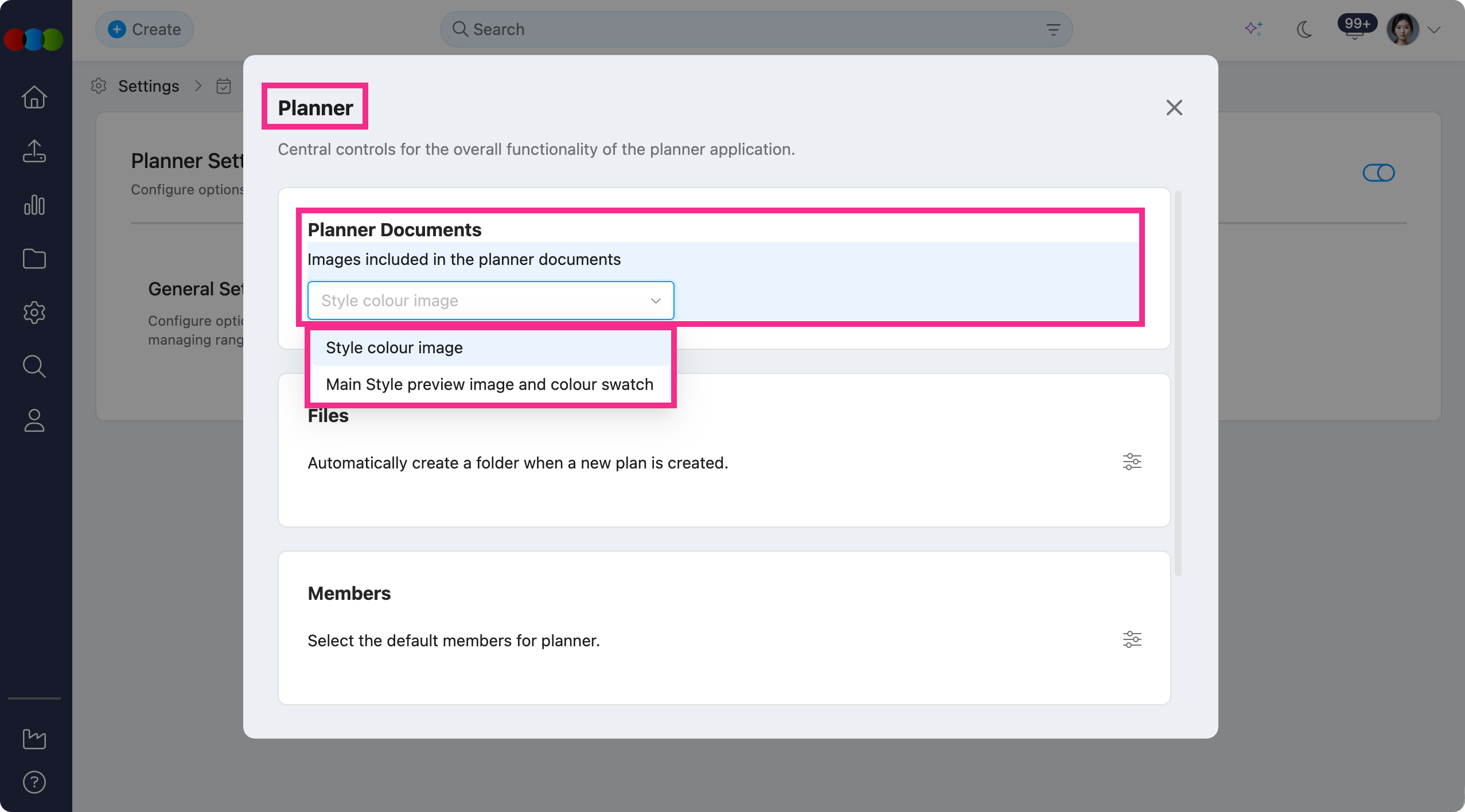
Learn more about Planner
- Site Settings › Planner › General Settings (Planner Documents) for the field, options, and further information.
- Planner › Documents for Storyboard, Range Planner, and Option Plan layouts.
Order Search > Gender
We've added Gender as a column and filter in your Order Search.
This is directly pulled from the Style > Details > Gender.
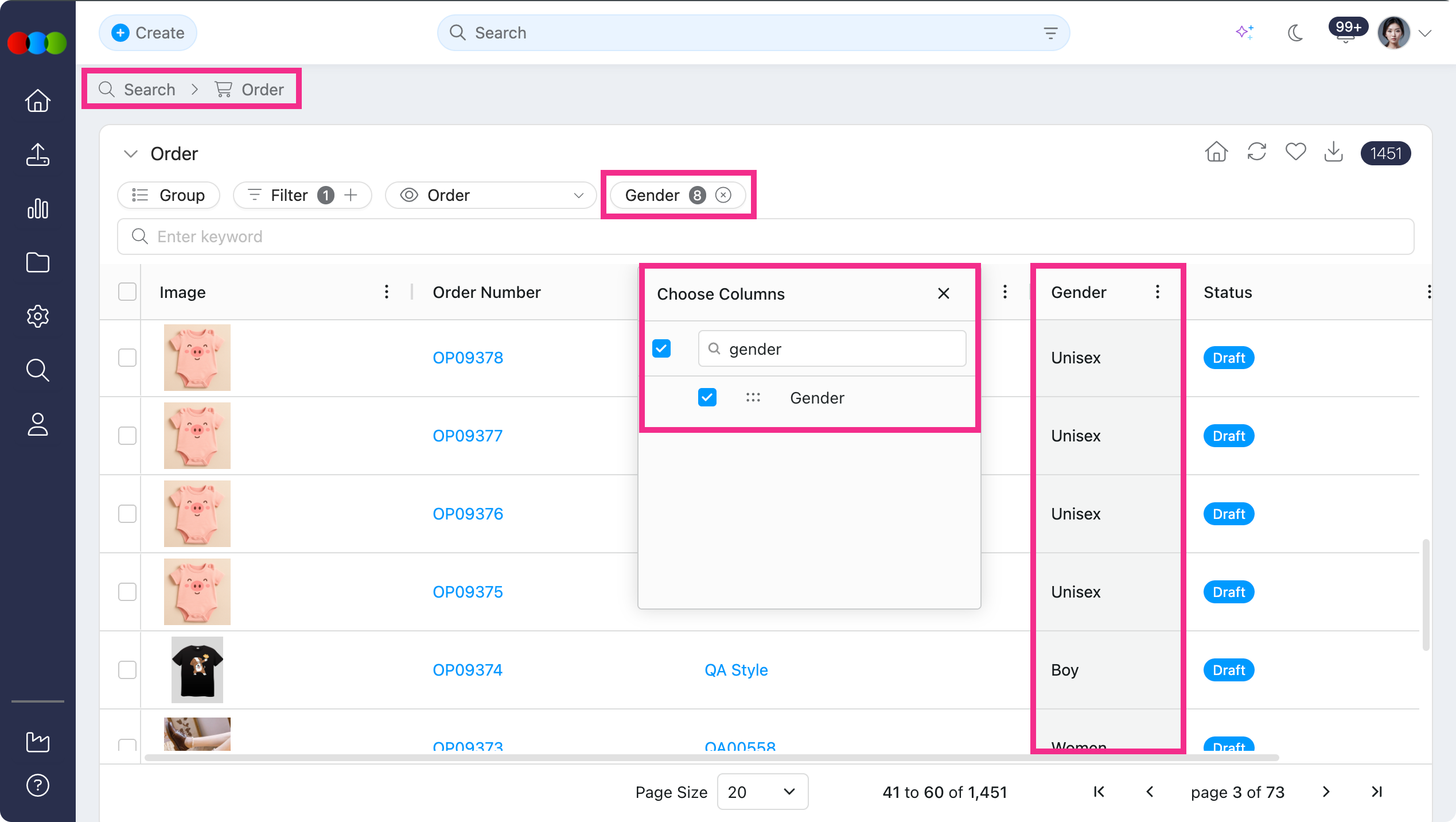
Learn more
- Order Search for columns, filters, and the order search view
- Style › Details on where Gender is set on the style
- Site Settings › Style › Gender on how gender values are defined for your site
Order Search > Account Manager
You can now add Account Manager as a column and use it as a filter in Order Search.
The Account Manager is marked for that order, so you can see ownership and the right contact at a glance.
Order Search > Account Manager 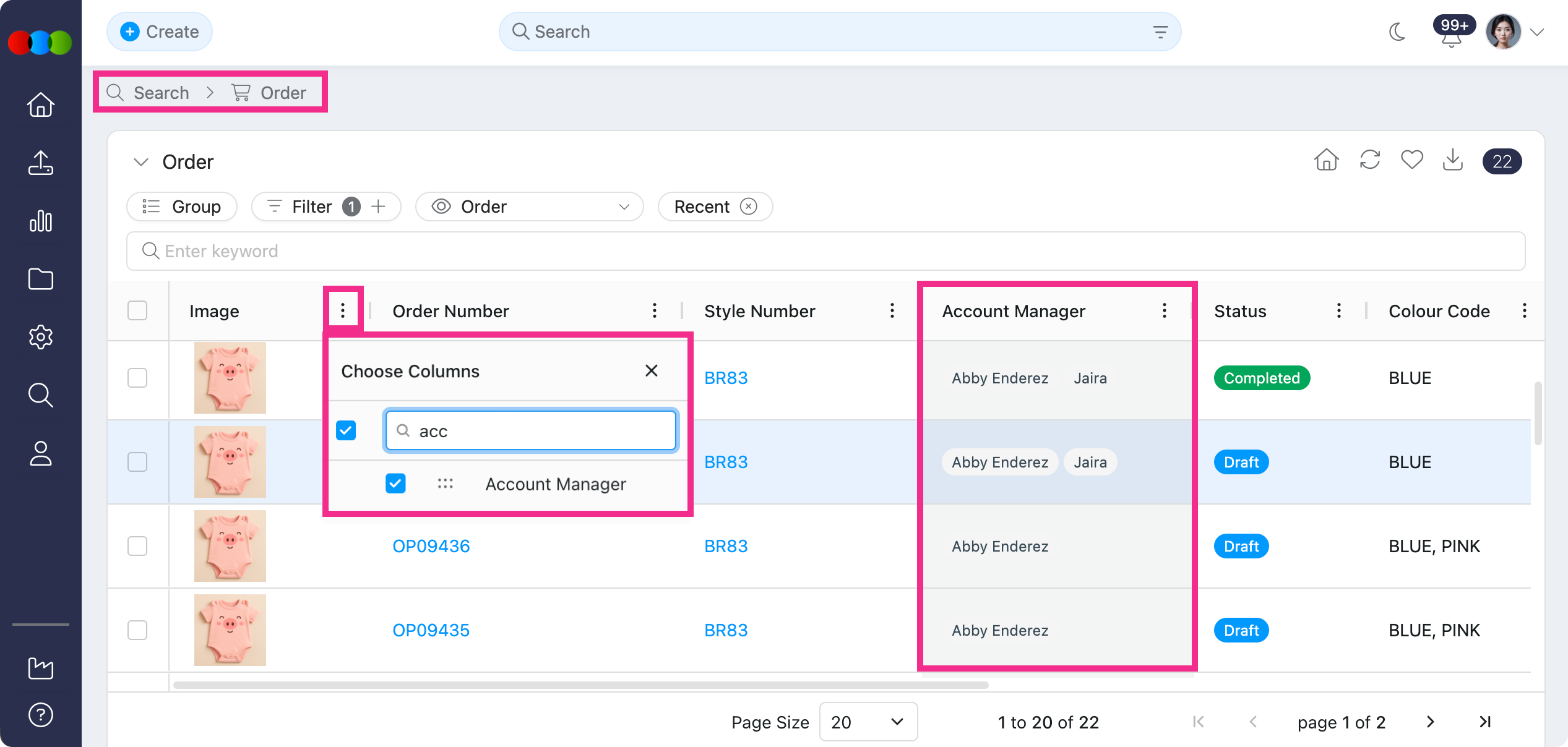
Learn more
- Order Search for columns, filters, and the order search view
- Order › Side Widgets › Members for how Account Manager is assigned on an order
My Profile > Notifications
You can now independently turn on or off In-App and Email notifications for each event in My Profile > Notifications. The legacy Email all notifications master toggle has been replaced by a Select All control per channel column on the Application Notifications master row, so you can quickly enable or disable a whole channel without losing your per-event choices.
- Each event row now has two checkboxes: In-App and Email.
- Events that do not currently have an email version display a dash (—) in the Email column.
- Do not disturb continues to pause every channel.
- Your existing preferences were preserved at upgrade — events that were previously on now have both In-App and Email ticked, and events that were previously off remain off in both columns. No action is required.
Learn more
- Settings › Notifications for the full list of events and how the In-App / Email matrix works.
Order Import Template > Pricing (Buy, Sell, Retail, Alt Retail)
Previously, when importing orders using the template, pricing values were not always applied correctly. New orders could be created without the pricing from the template, and existing order prices could be removed when updating through import.
Now, the import process now handles pricing more reliably for both new and existing orders.
- New orders: If pricing values are included in the import template, those prices are now automatically applied to the order during import.
- Existing orders: When updated pricing is imported, the system now replaces the existing values correctly instead of removing previously saved prices.
- Orders using one price for the full order: Price columns from the import file are now recognised correctly, even if a Size value is included in the row.
Planner > Styles > Preview Image
We've fixed an issue in opening the preview image for Planner > Styles.
The preview now opens with the style image(s) displayed as expected.
Costing > Style > Estimated ETD
On Costing, you could enter Estimated ETD for a Style and the date saved, but after refreshing the screen the date no longer appeared. This only affected the view when styles were shown in Row View.
Estimated ETD now remains visible after a refresh in Row View, matching the value that was saved.
Adobe Illustrator Plugin > Log in
Previously, some users could not sign in to the Adobe Illustrator extension even when their username and password were correct, and the extension showed an error at login.
Log in to the extension now works as expected.
Thank you for helping us make things better! If you spot anything else, let us know — we're always here to help.
Happy clicking!
Previous Release Notes