Release Notes - 8th of July 2026
Costing > Members > Share with All Suppliers
You can now add all staff from your portal-connected suppliers to a costing in one step from Costing > Members.
When a costing is linked to two or more portal-connected suppliers, a Share icon appears beside Members, next to the plus (+) icon.
Click Share once and every staff member from those suppliers is added to the costing Members list, no need to add supplier staffs individually.
Costing > Members > Share with All Suppliers 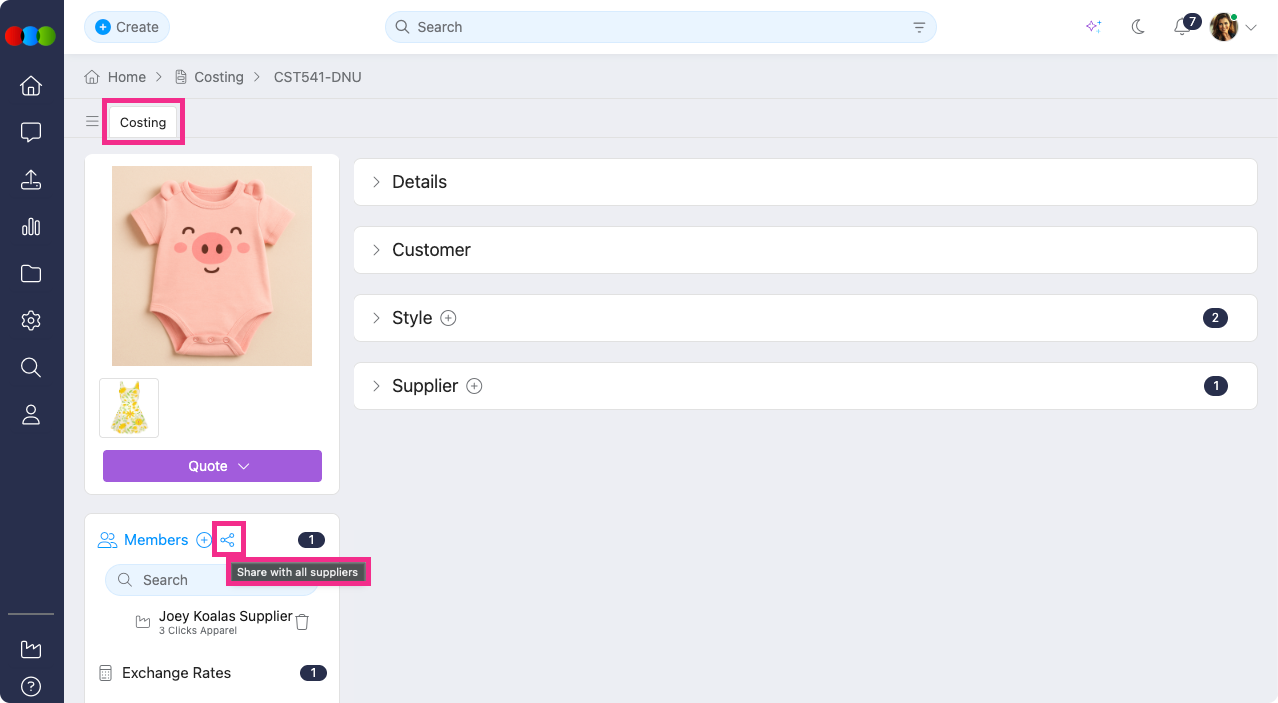
Learn more
For guidance on managing costing members and supplier visibility, see Costing › Members in the documentation portal.
Reports > Expand/Collapse Headers
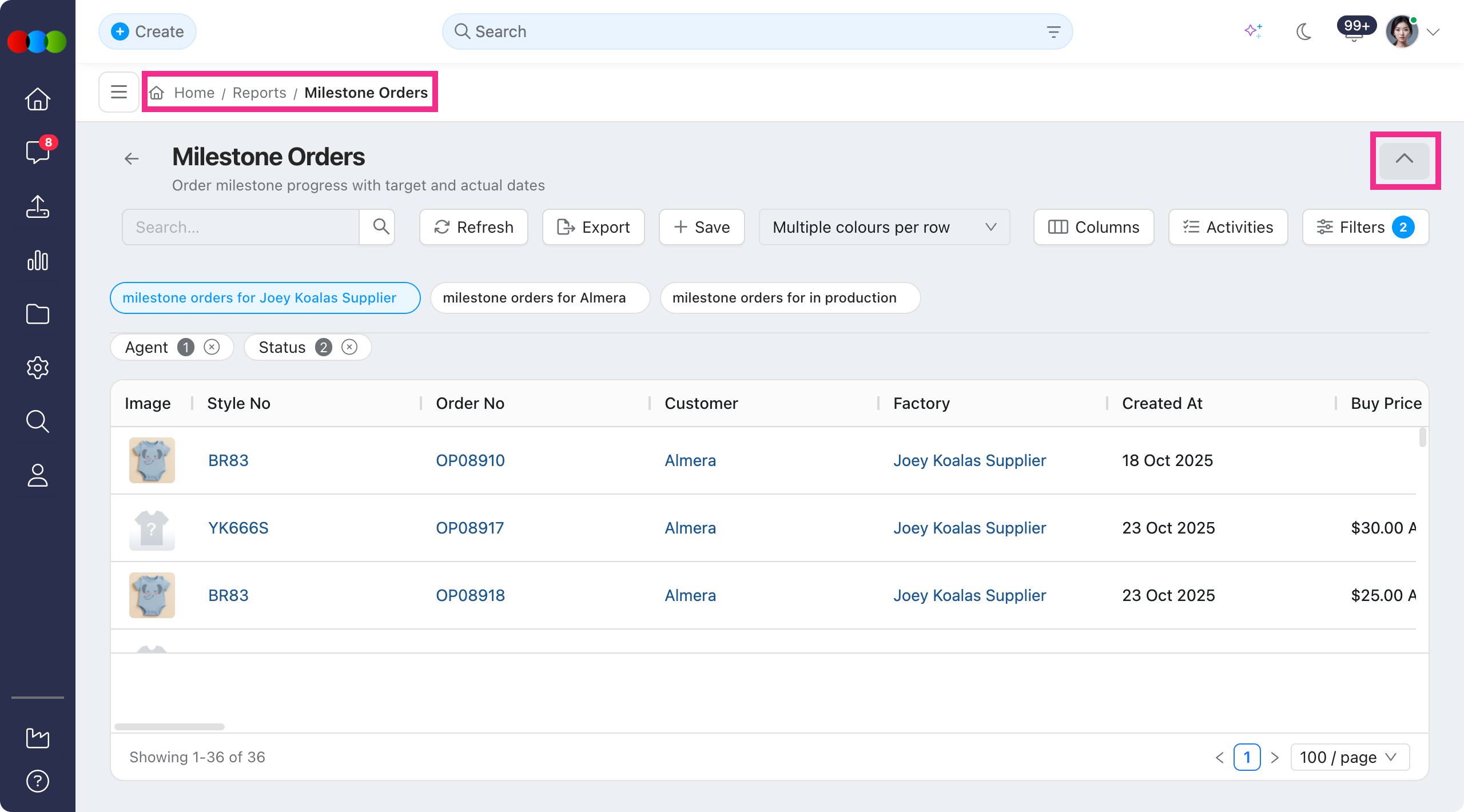
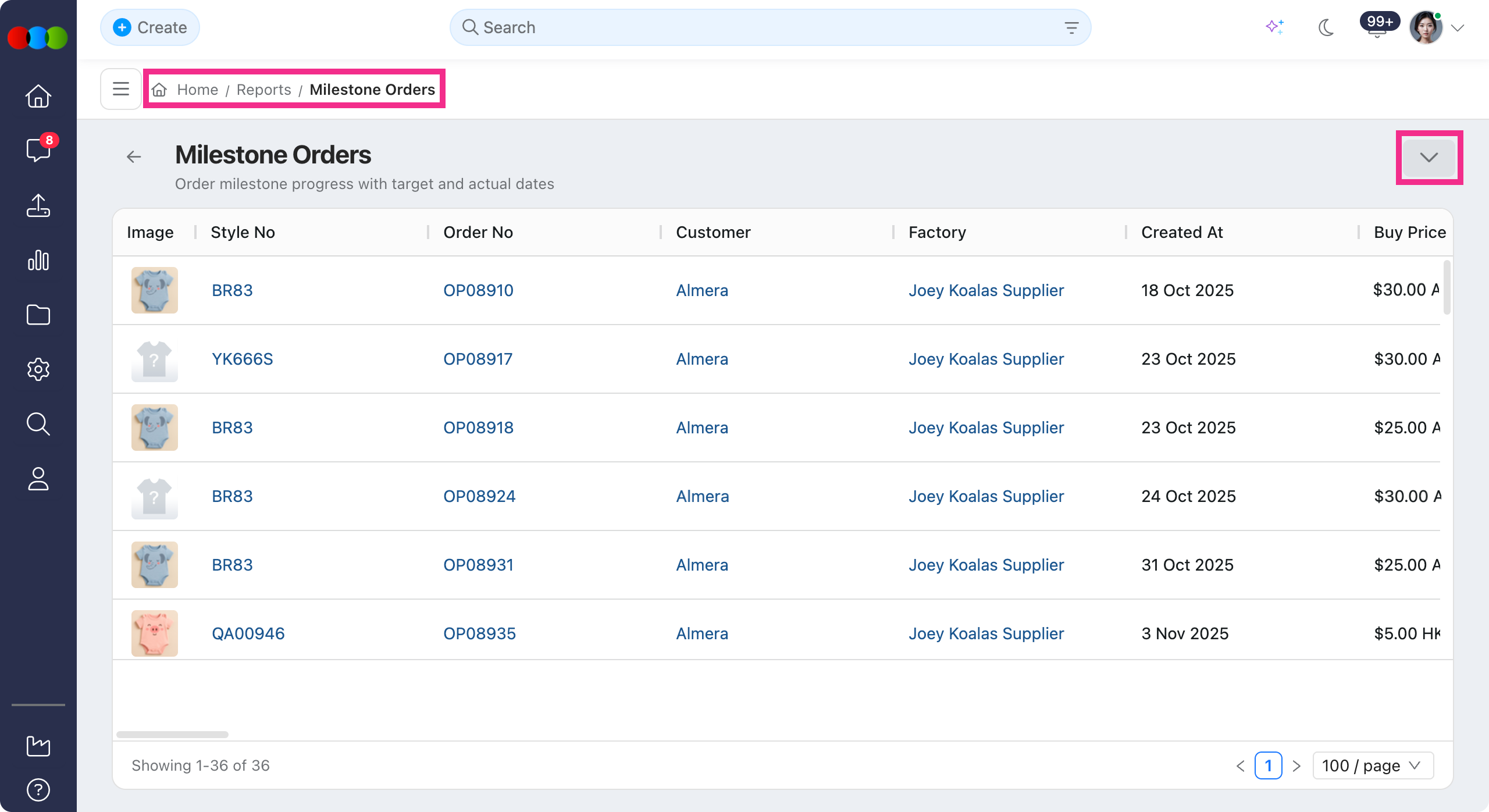
You can now expand or collapse section headers within Reports.
Click any header to collapse or expand its contents with easier way to navigate long reports and focus on the sections that matter most to you.
Order > Documents > Purchase Order
We've fixed an issue where pricing was missing from the Purchase Order Form for orders that use Price by Size in Order > Colour Quantity & Pricing > Order Pricing.
The Purchase Order Form now displays the correct pricing for each size on orders that use Price by Size, matching what you see in Order > Colour Quantity & Pricing.
Reports > Images
We've fixed an issue where preview images in the Images column were displaying cropped.
Preview images now display correctly.
Thank you for helping us make things better! If you spot anything else, let us know — we're always here to help.
Happy clicking!
Previous Release Notes