Release Notes - 2nd of June 2026
Shipping Search > Column > Total Quantity
We've added Total Quantity as a column option in Search > Shipping.
You can now select Total Quantity from the Choose Columns pop-up, display it on screen in your Shipping Search results, and include it in exported files when the column is selected.
Search > Shipping > Total Quantity column 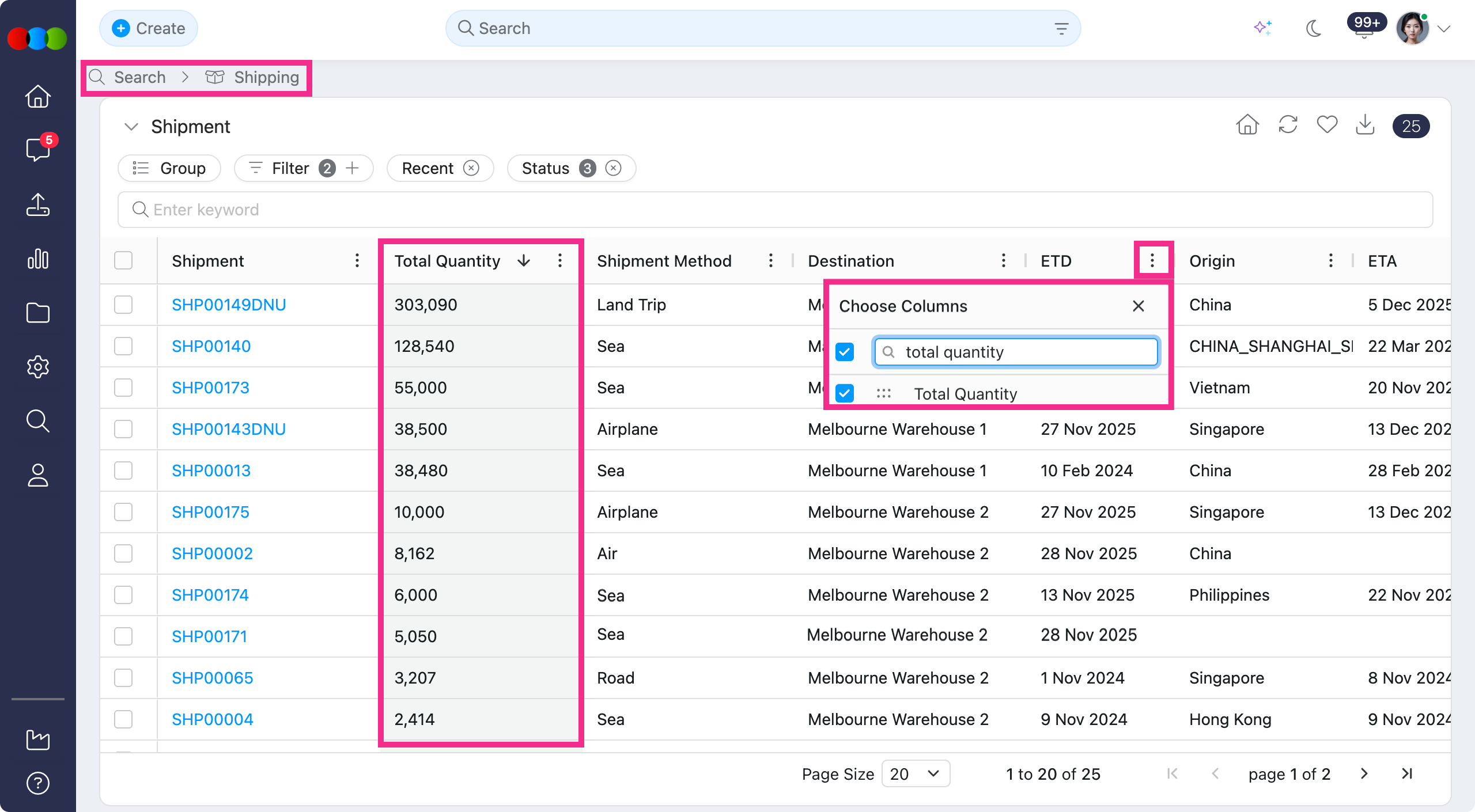
Learn more
See Shipping Search > Columns for the full list of Shipping Search columns and how Total Quantity fits into the search view.
Reports (New Version) > Orders > Milestone Orders > Activity Action
We fixed an issue where the Approval and Rejection options were not displayed when editing activity actions in bulk.
You can now select either Approval or Rejection from the bulk edit pop-up after ticking activities from the Activity header. This makes it possible to apply the intended action to multiple milestone order activities without editing each row individually.
Site Settings > Order > Forms > Preview Image
We fixed an issue where a selected preview image could display too large in the order form, causing it to overlap other form data.
This has been fixed.
Thank you for helping us make things better! If you spot anything else, let us know — we're always here to help.
Happy clicking!
Previous Release Notes