Release Notes - 5th of June 2026
Style Search > Bulk Actions > Members
We've added Members to the Actions bulk action menu in Style Search.
You can now update style team assignments in bulk by removing an existing staff member from selected styles and/or adding a new staff member in one action. This gives teams a faster, more consistent way to re-allocate style ownership when responsibilities change, without opening each style individually.
Style Search > Actions > Members 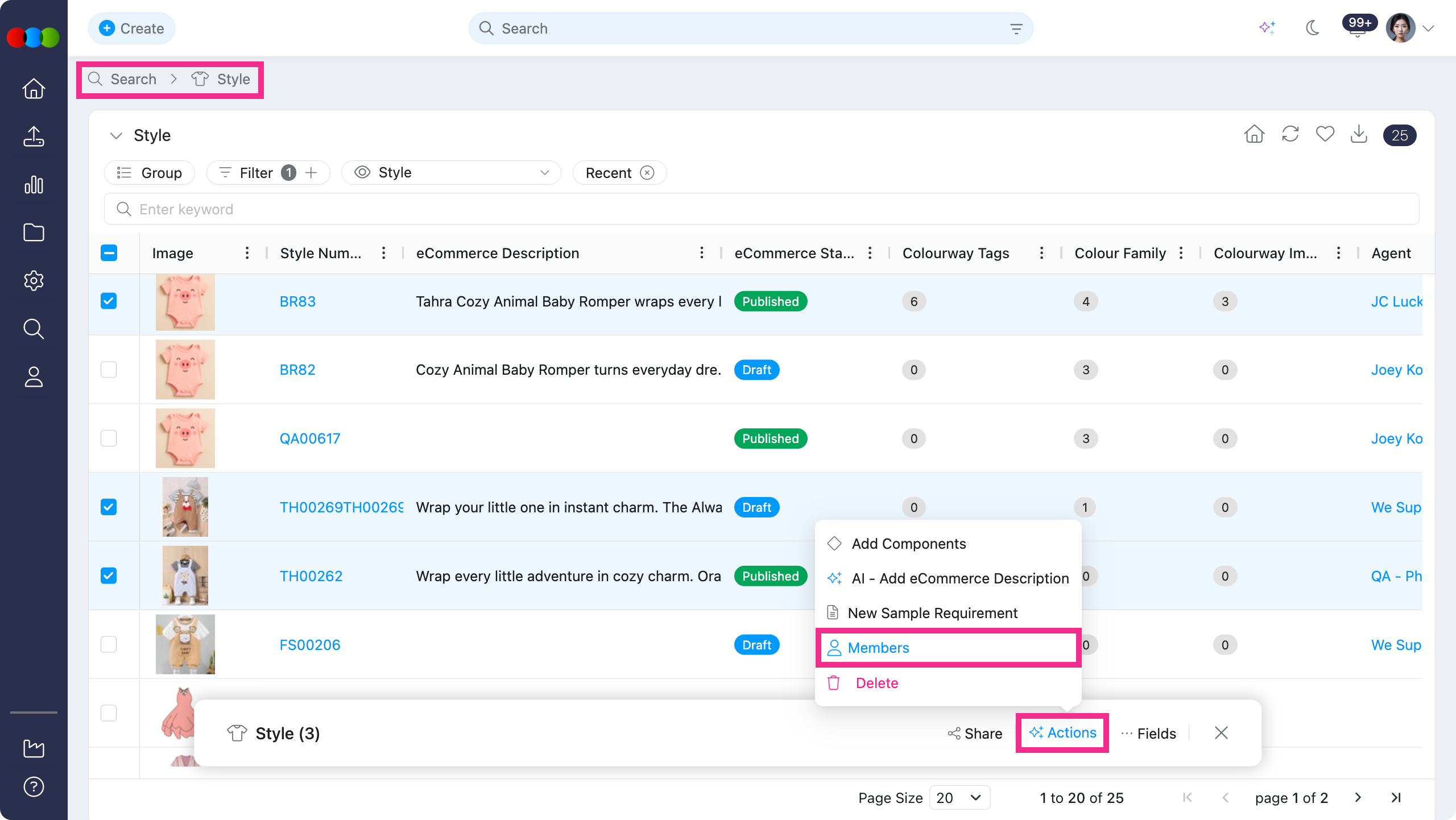
Style > Search > Actions > Members Pop-up 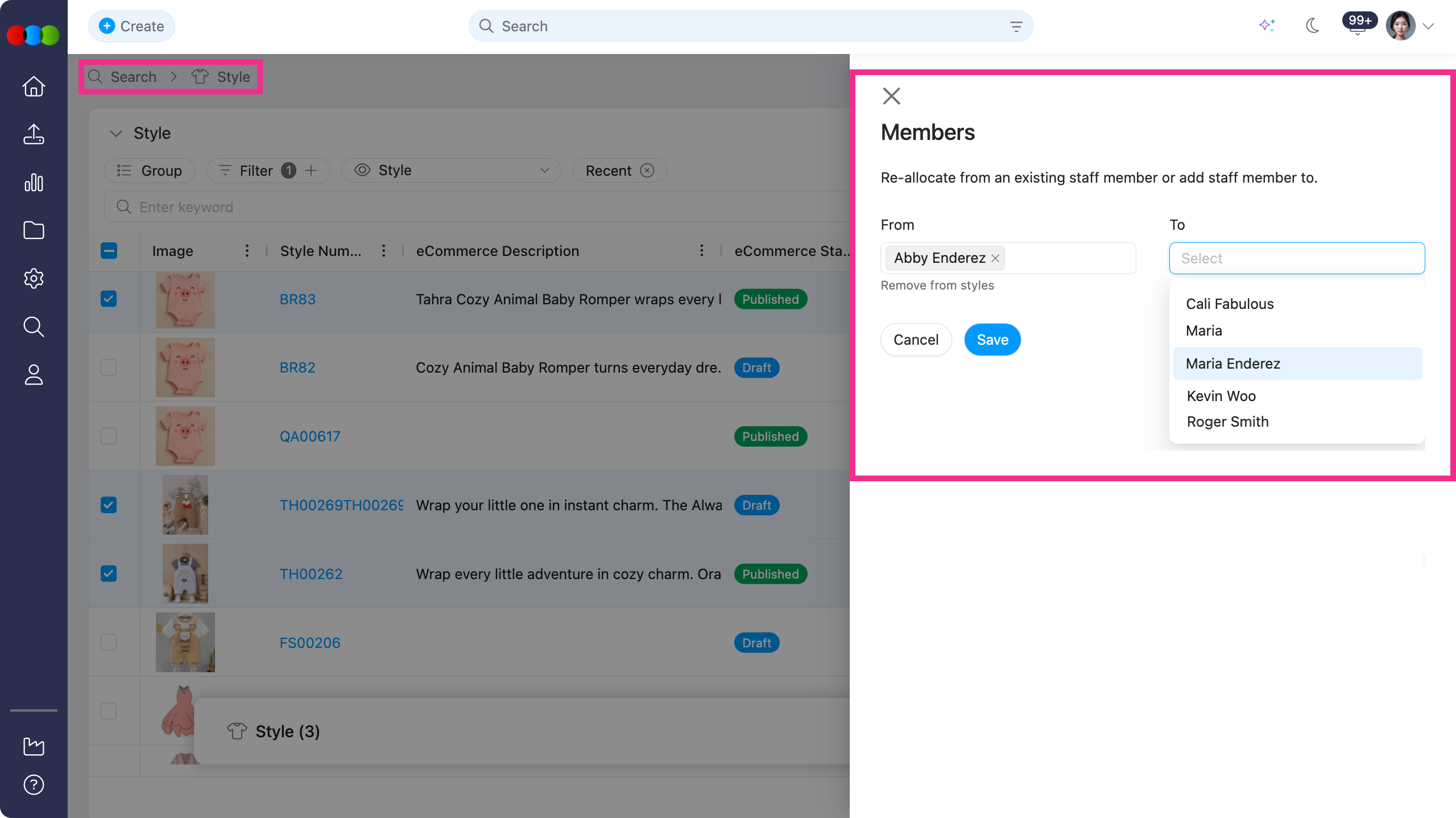
Learn more
See Style Search > Bulk Actions for the available bulk actions and how Members works.
Component/Style > Colours & Pricing
We've fixed an issue where duplicate Colour Code and Description combinations could be saved in Component and Style.
Each Colour Code and its Description combination is now unique. If a duplicate colour is added, the description is automatically numbered to keep entries distinct.
Check your Component/Style > Colours & Pricing
To give you more information on Colour Code and Description, head to the Style > Colours & Pricing and Component > Colours & Pricing of the documentation portal.
Orders > Roles and Permissions
We've resolved an issue where users with View, Edit, Create, and Delete permissions configured in Site Settings > Company > Roles & Permissions > Order were still unable to see existing purchase orders in the system.
This has been fixed. Orders now display correctly in line with each user's permission set.
Style > Side Widgets > Create Order
We've fixed an issue where the Create Order button was not appearing in Style > Side Widgets for users who had the Site Settings > Company > Roles & Permissions > Order > Create permission enabled.
Now, the Create Order button displays correctly for users with the required permission, allowing them to create orders directly from a style.
Thank you for helping us make things better! If you spot anything else, let us know — we're always here to help.
Happy clicking!
Previous Release Notes