Release Notes - 19th of June 2026
Supplier Portal
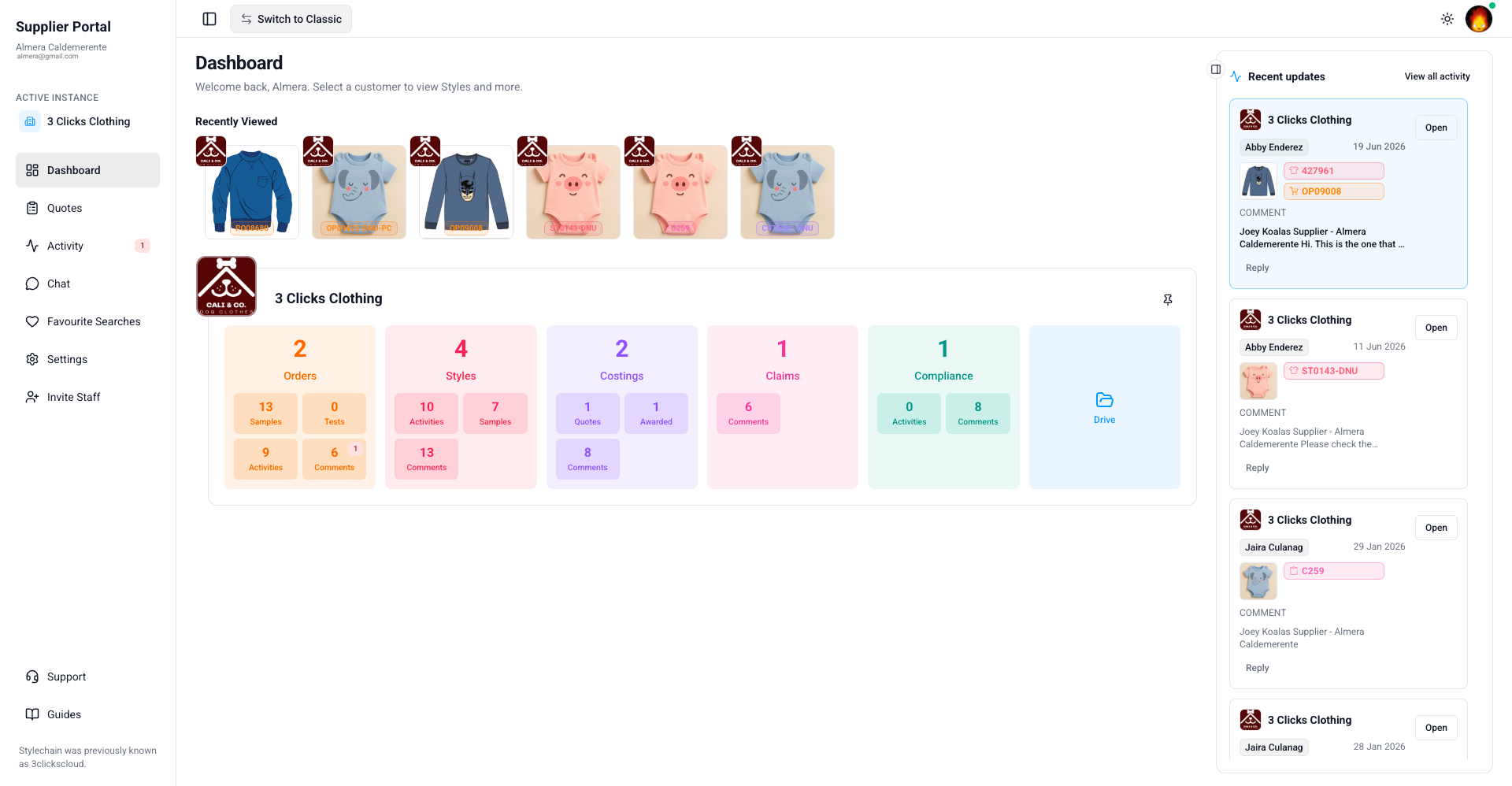
The Supplier Portal has been redesigned for your suppliers to move between orders, styles, costings, claims, and compliance with so much ease — giving them a more connected view of everything your team has shared with them.
Here's what's new for suppliers:
- Dashboard — A personalised home page showing Recently Viewed records, quick counts across Orders, Styles, Costings, Claims, Compliance, and Drive, plus a Recent Updates feed of the latest activity.
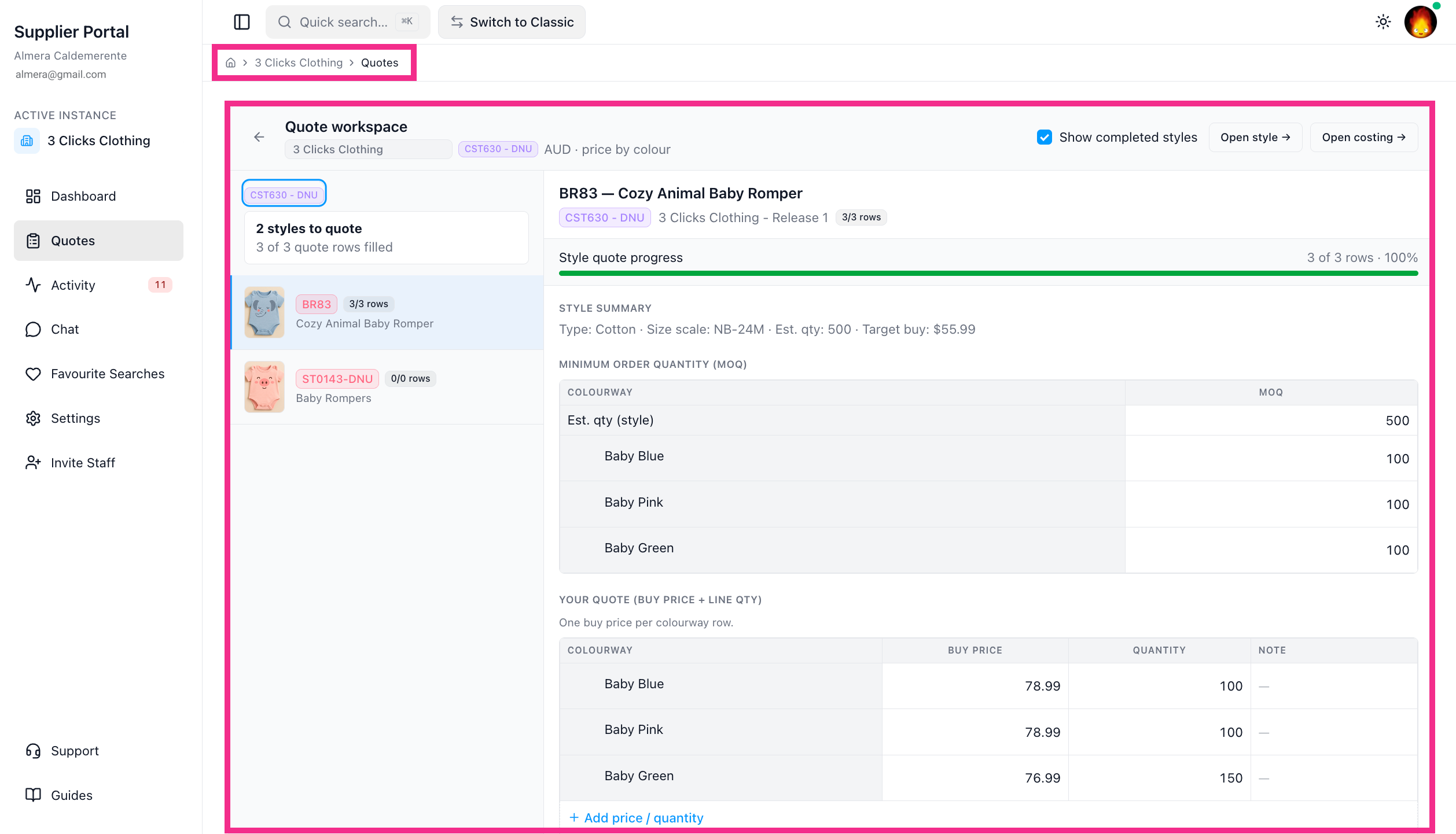
- Quotes — A focused workspace for entering buy prices and quantities on shared costings.
- Recent Activity — A single feed for all notifications from your team.
Supplier Portal > Recent Activity 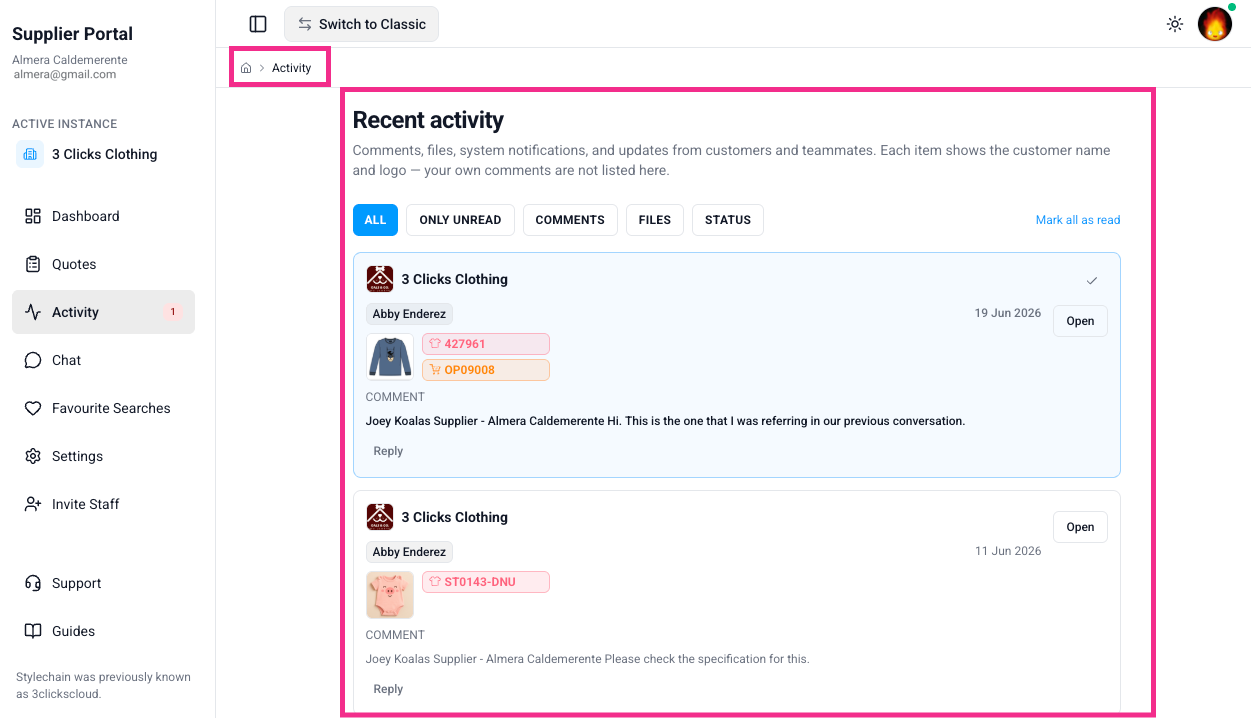
- Style & Order Outstanding Activities - A calendar view where suppliers can see pending Critical Path and Sample Requirement due dates per order/style, mark activities complete, leave notes, and track daily progress at a glance.
Supplier Portal > Dashboard > Order Outstanding Activities 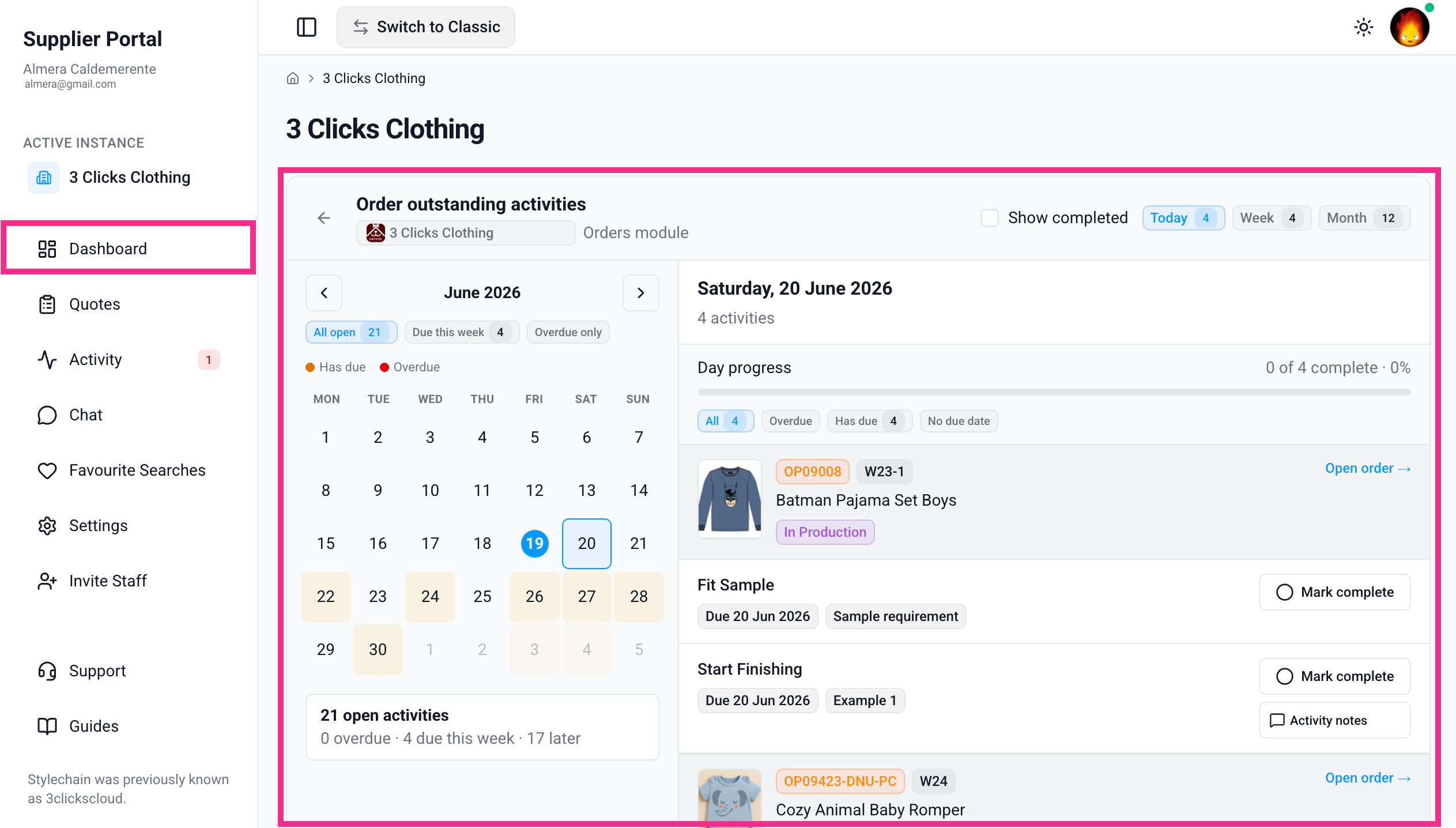
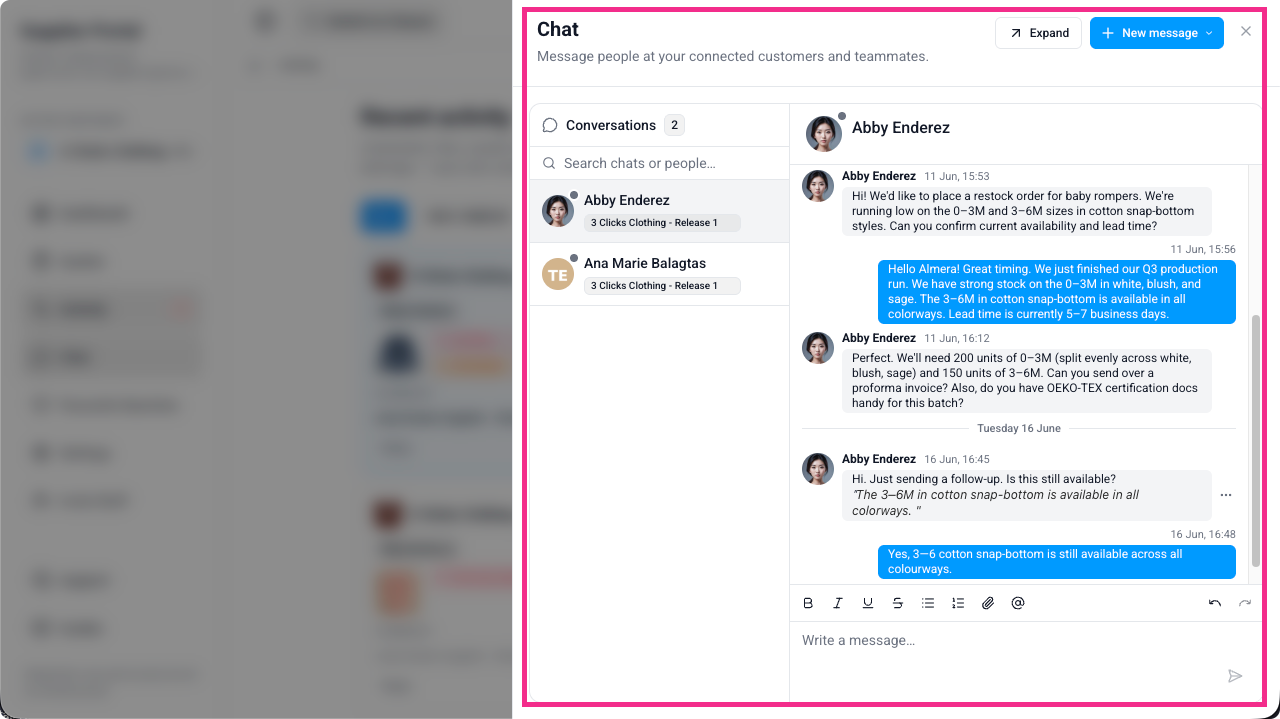
- Chat — Direct 1:1 and group messaging with your instance users, kept separate from record comments so collaboration and quick conversations don't get mixed up.
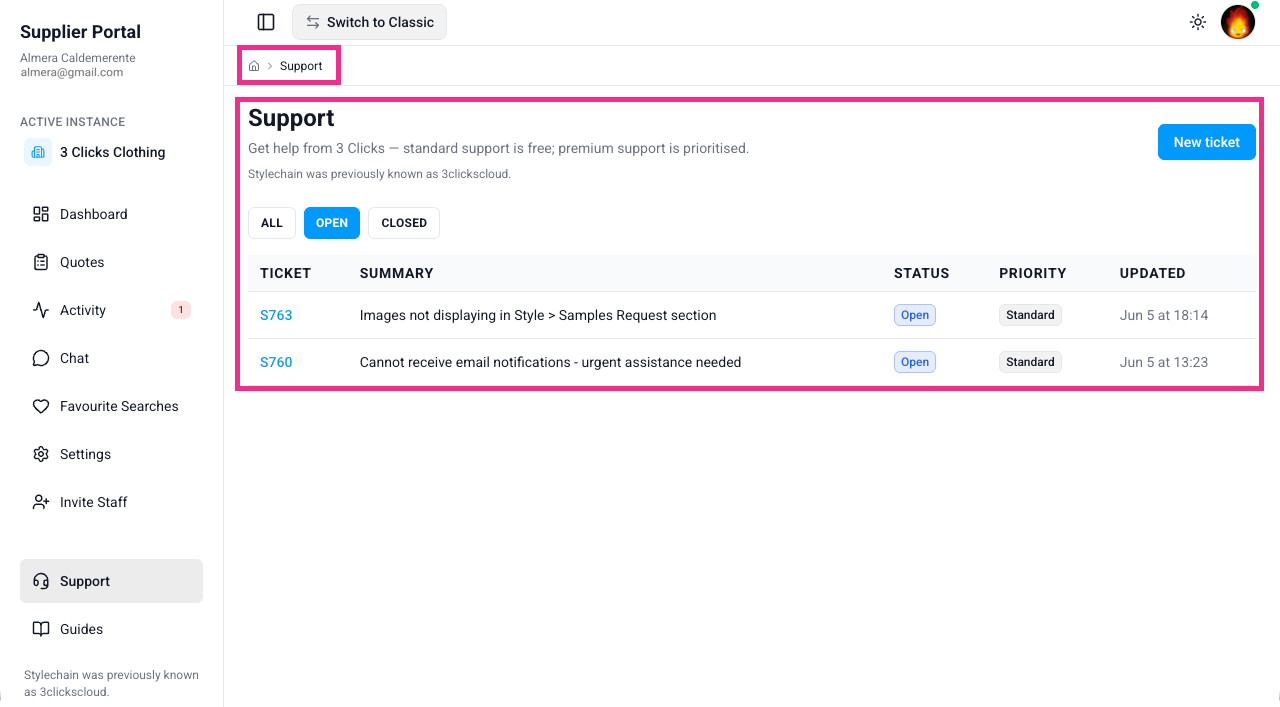
- Support — A built-in way to raise tickets with the 3 Clicks team, choosing Standard or Premium support and a category (Support, Defect, Feature Request), with file attachments and a threaded conversation on each ticket.
- Modern Slavery Disclosure — From Active Instance, suppliers confirm which customer connection they're working under and submit annual Modern Slavery Statement disclosures — including factory and risk fields and audit certifications — with past statements available to review per connection.
Supplier Portal > Modern Slavery Disclosure 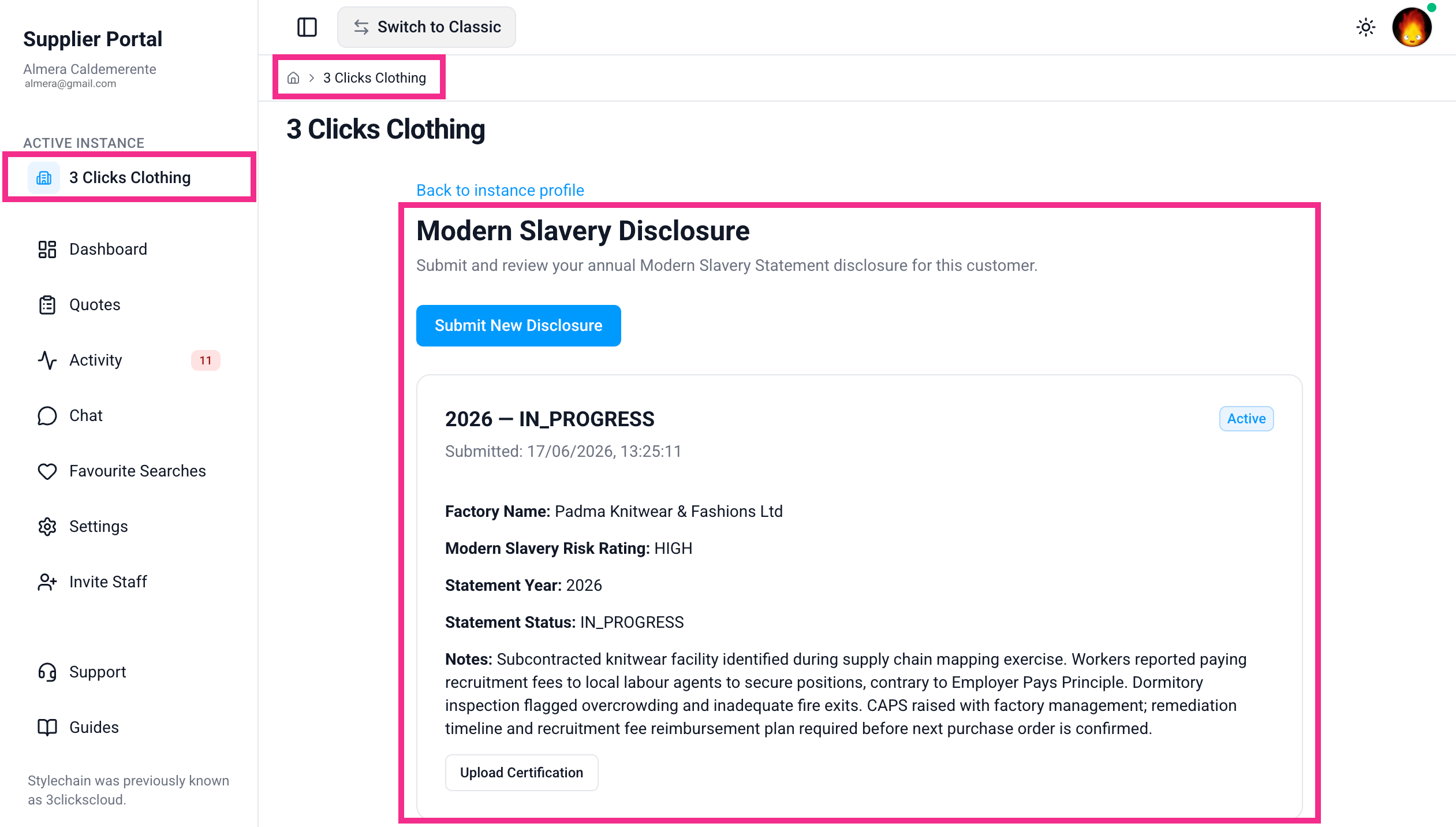
Now, suppliers get one place to track shared work, respond faster, and stay aligned with your team, reducing back-and-forth and keeping production, quoting, and compliance moving without delay.
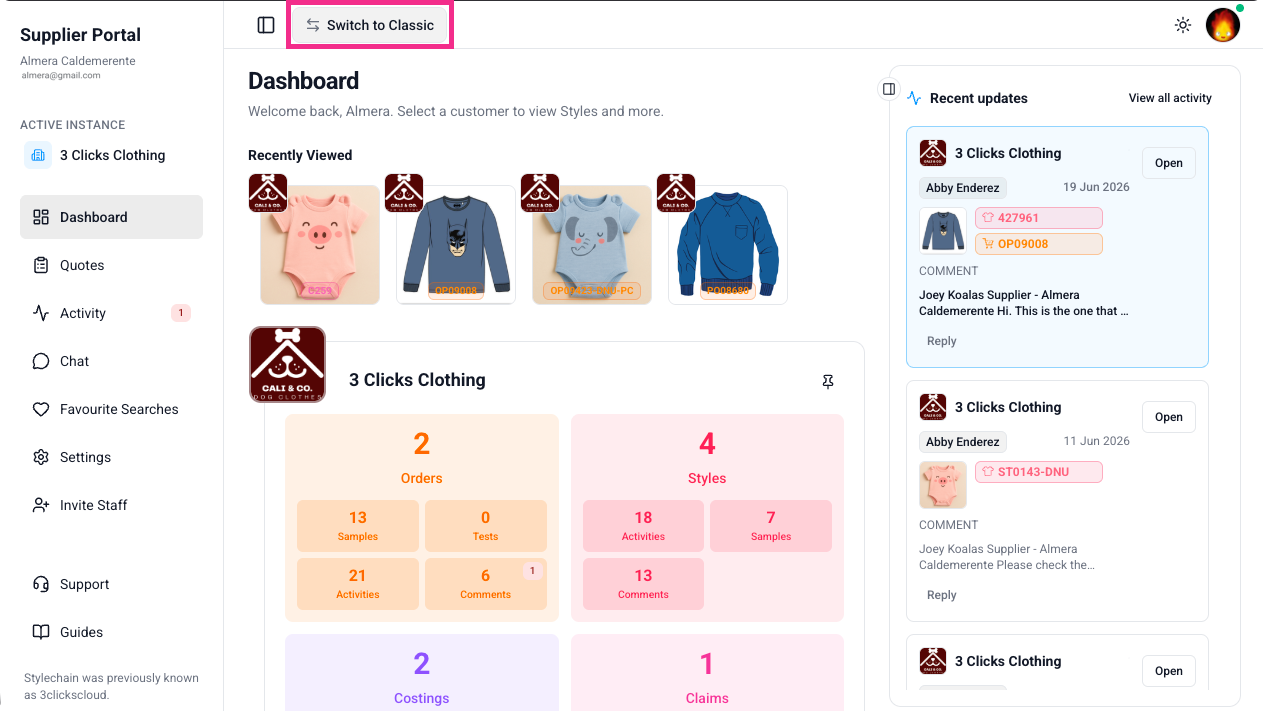
Switch back to the old version
The suppliers can always switch back to the old version in case they prefer working with the previous version of the Supplier Portal.
Learn More
For step-by-step guidance on what your suppliers will experience with this portal revamp, visit Supplier Portal › Overview in the documentation portal.
Style Search > Market Pricing
Style Search now displays the correct market and colour pricing you have set up on each style when you use the Style by Colour by Market view.
-
Order Pricing: One Price — Previously, the primary market RRP and Sell Price were repeated for every market row. Each market now shows its own Retail Price and Sell Price as configured in Style > Colours & Pricing > Order Pricing for that market.
-
Price by Colour — Previously, no prices appeared in Style Search with prices set in Price by Colour. Search now displays the Buy Price, market RRP, and Sell Price for each colourway and market, matching what is set up on the style.
-
When you switch to Style by Colour by Market view and add pricing columns such as Buy Price, Sell Price, and RRP, you get a market-by-market view of your Style search — whether you use one price across sizes or different prices per colourway.
Style Search > Style by Colour by Market 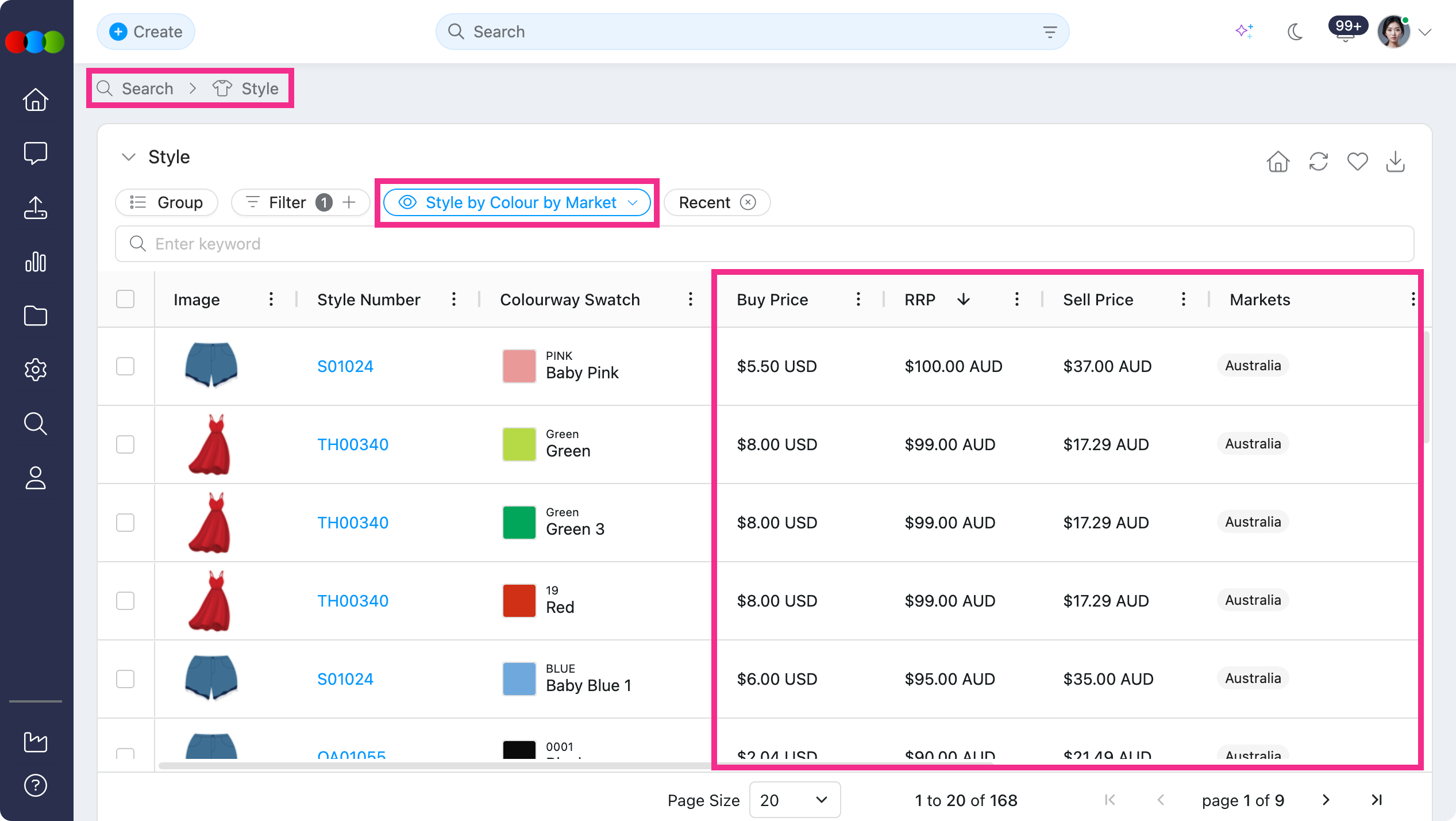
Learn more
- For Style Search view options and column customisation, see Search › Style Search.
- For setting up market and colour pricing on styles, see Style › Colours & Pricing › Markets, One Price, and Price by Colour in the documentation portal.
Order > Style Details > Additional Markets
You can now select which markets apply to each order directly from Order > Style Details.
- Additional Markets — A new editable field in Order > Style Details. Select the countries that apply to this order from the system-generated dropdown list.
- Copied from style on creation — When you create an order, Additional Markets is automatically populated from the linked style's Style > Details > Additional Markets set-up, giving you a consistent starting point without re-entering data.
- Order-specific control — Update Additional Markets on the order at any time to add or remove countries for that order, without changing the source style.
- Focused market pricing — Order > Colour Quantity & Pricing now displays pricing only for the markets selected in Additional Markets, keeping your pricing section clear and aligned to the regions you are actually ordering for.
Order > Style Details > Additional Markets 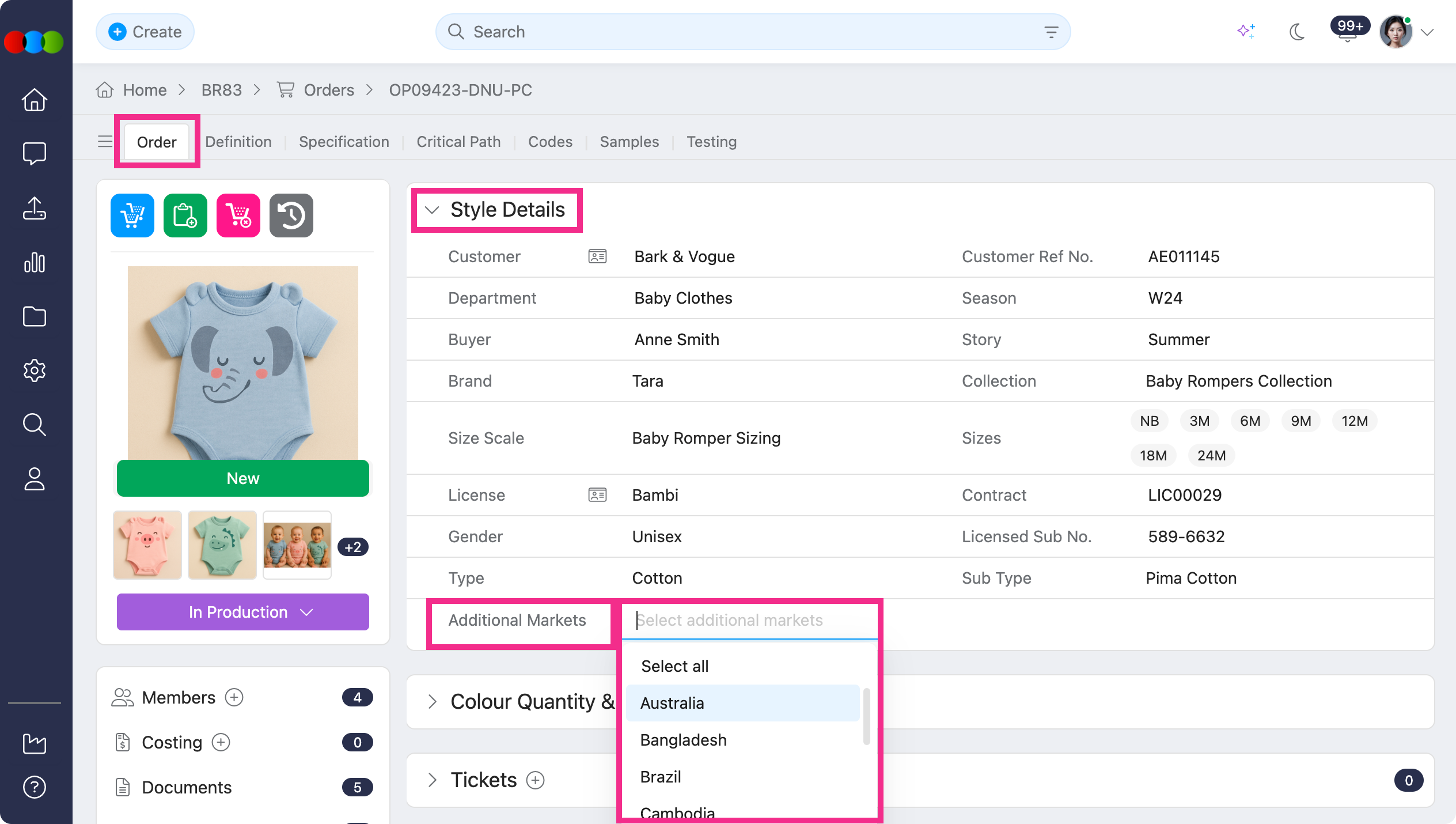
Learn more
- For the Additional Markets field and other style detail fields on an order, see Order › Style Details in the documentation portal.
- For how market pricing appears on orders, see Order › Colour Quantity & Pricing › Market Pricing.
- To configure markets on the style before creating an order, see Style › Details › Additional Markets and Style › Colours & Pricing › Markets.
Site Settings > Style > Colour
Previously, when you opened an existing colour in Site Settings > Style > Colour, changed any detail, and then clicked Save, an error would display.
You can now edit and save existing colours without error. Updates to the code, description, swatch, and image are correctly saved without error as well.
Thank you for helping us make things better! If you spot anything else, let us know — we're always here to help.
Happy clicking!
Previous Release Notes