Release Notes - 26th of June 2026
Calendar
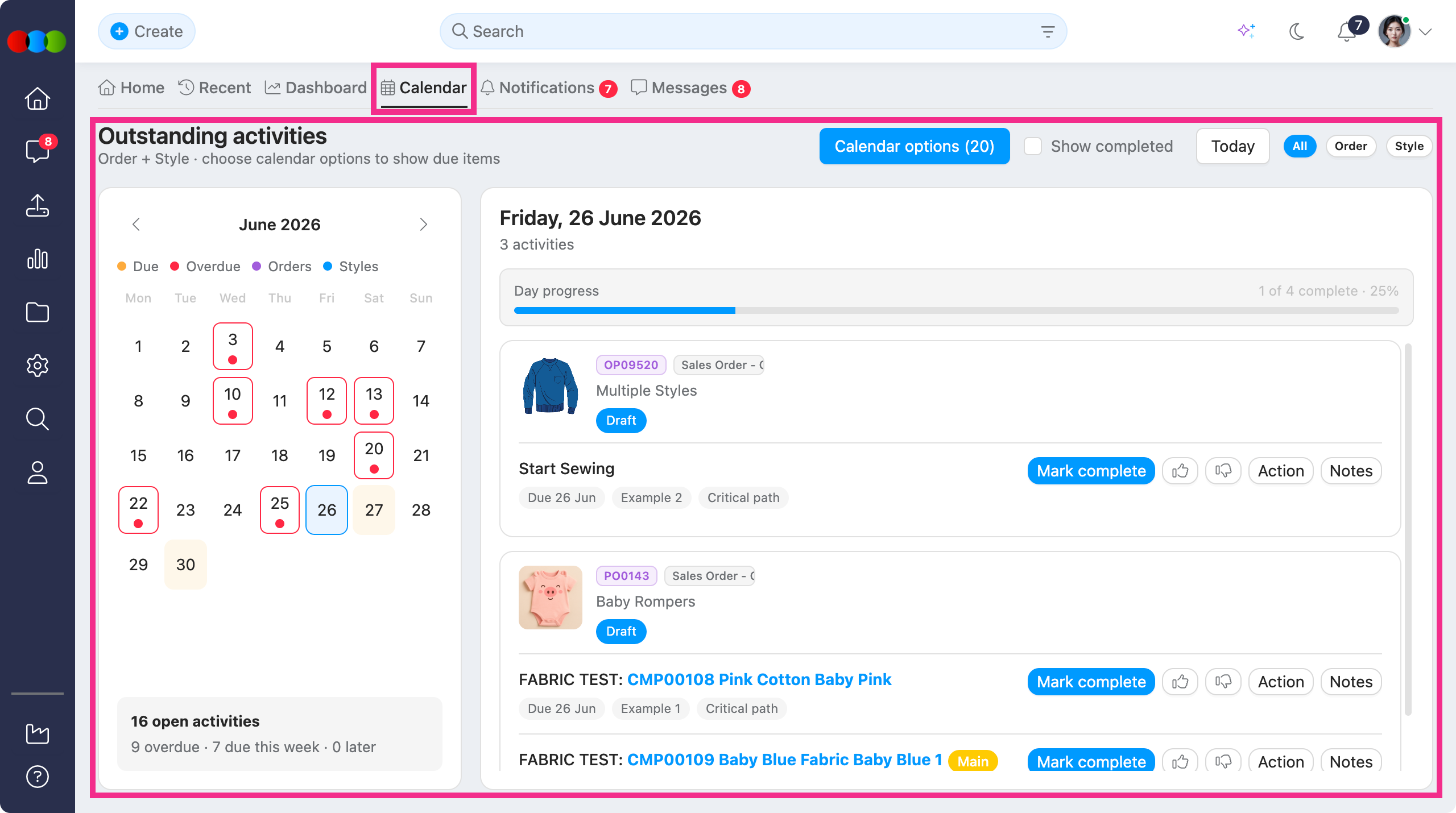
Calendar is your new split-view workspace on Home for outstanding Order and Style activities with due dates.
What's new:
- The month picker highlights days with due or overdue work; select a day to review matching activities.
- All / Order / Style chips, Show completed, and Today help you focus for the day's progress bar.
- Complete critical path activities from the calendar when your role allows it.
Note
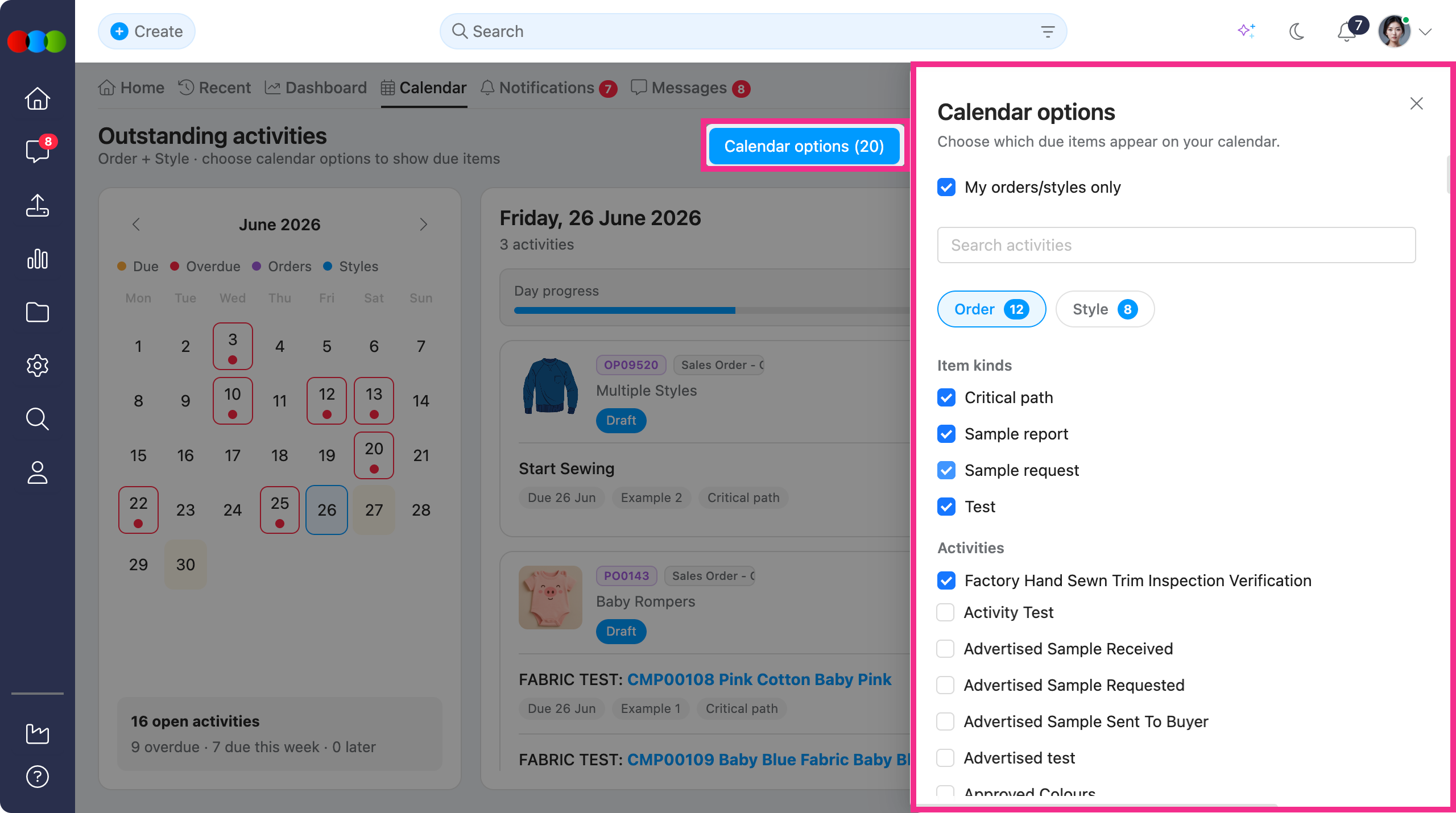
The calendar is empty by default until you configure Calendar options. Item kind and activity type checkboxes start with none selected — open Calendar options from the toolbar, tick at least one item kind (for example Critical path, Sample report, Sample request, or Test), and select the relevant Activities before due dates appear on the month grid.
Your experience now:
- Open Calendar options to choose member scope, search, record filters, item kinds, and critical path activity types; your selections are saved per user in the browser.
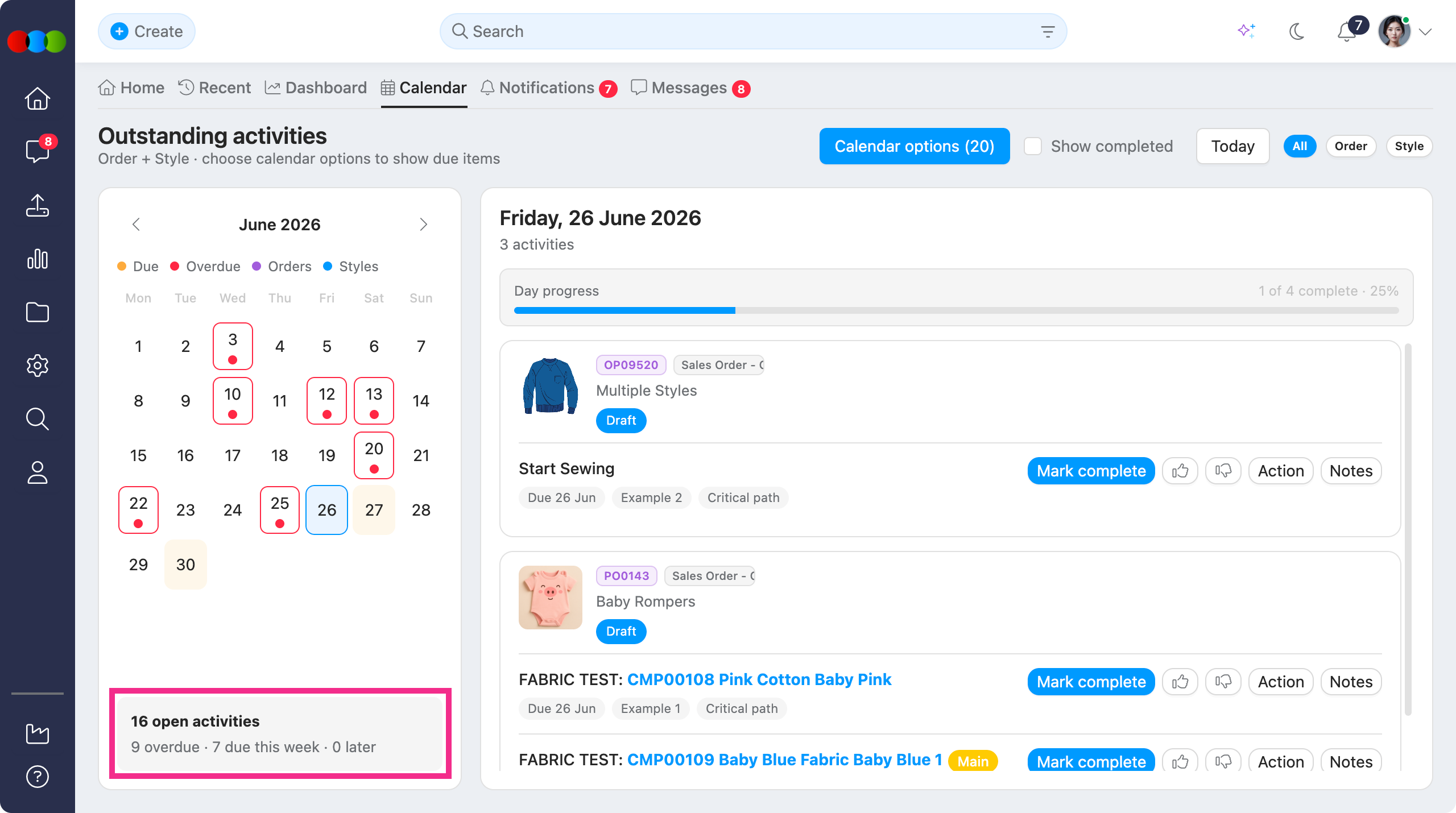
- Scan the month's summary for open, overdue, due, and for later (example display at the bottom of the calendar: 16 open activities· 9 overdue · 7 due this week · 0 later)
- If you do not see the Calendar tab, or cannot view Order or Style rows, ask an administrator to enable Home > Calendar view permissions on your role.
Learn more
For step-by-step guidance on Calendar options, permissions, and completing activities from the day list, see Home > Calendar and Roles & Permissions > Home Permission in the documentation portal.
Style/Order > Samples > Sample Reports & Order > Testing > Components
You can now set a Due Date on Style/Order > Samples > Sample Reports and Order > Testing > Components, giving your team and suppliers a shared deadline for sample reports and quality testing.
Where to set due dates:
Style > Samples > Sample Reports 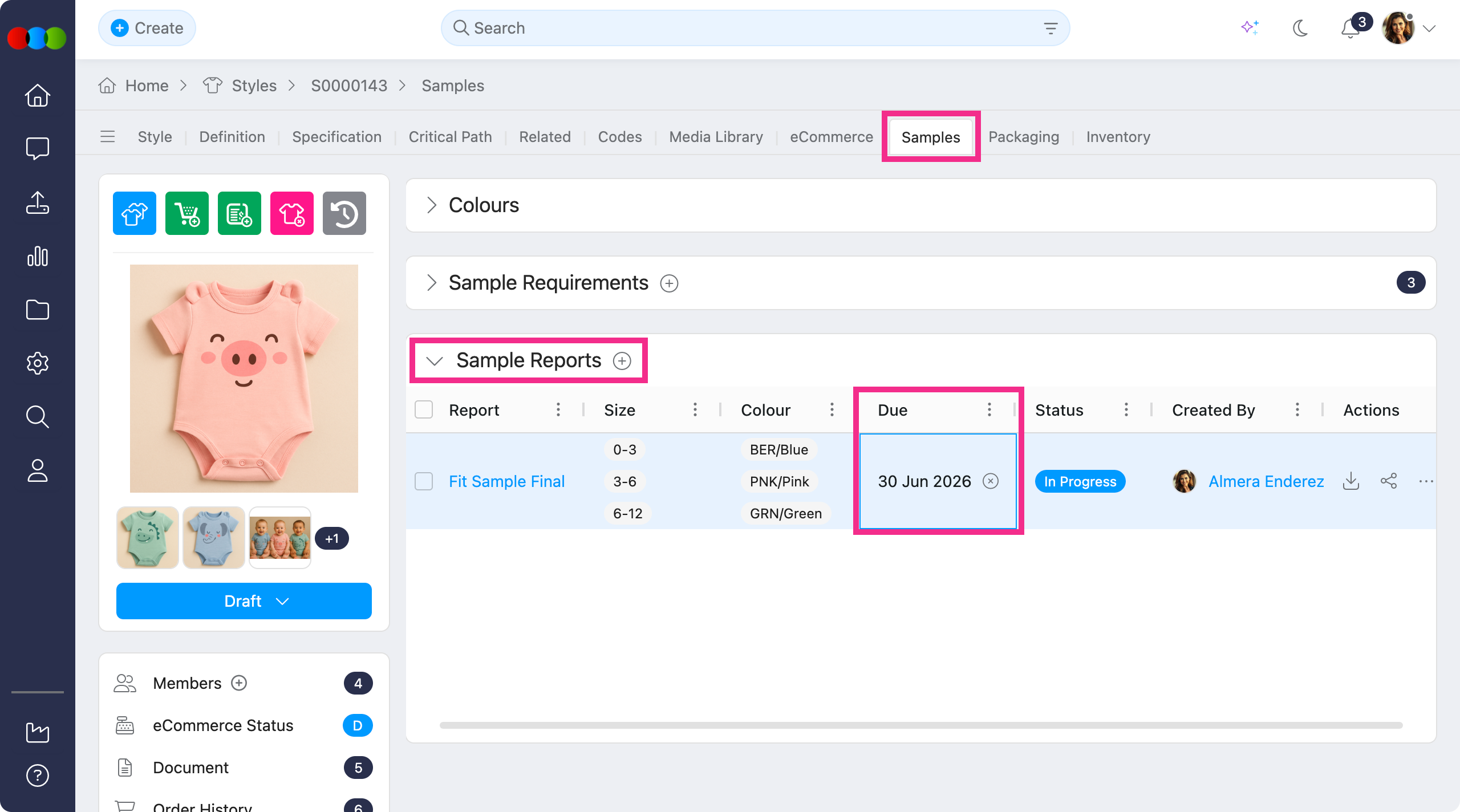
Order > Samples > Sample Reports 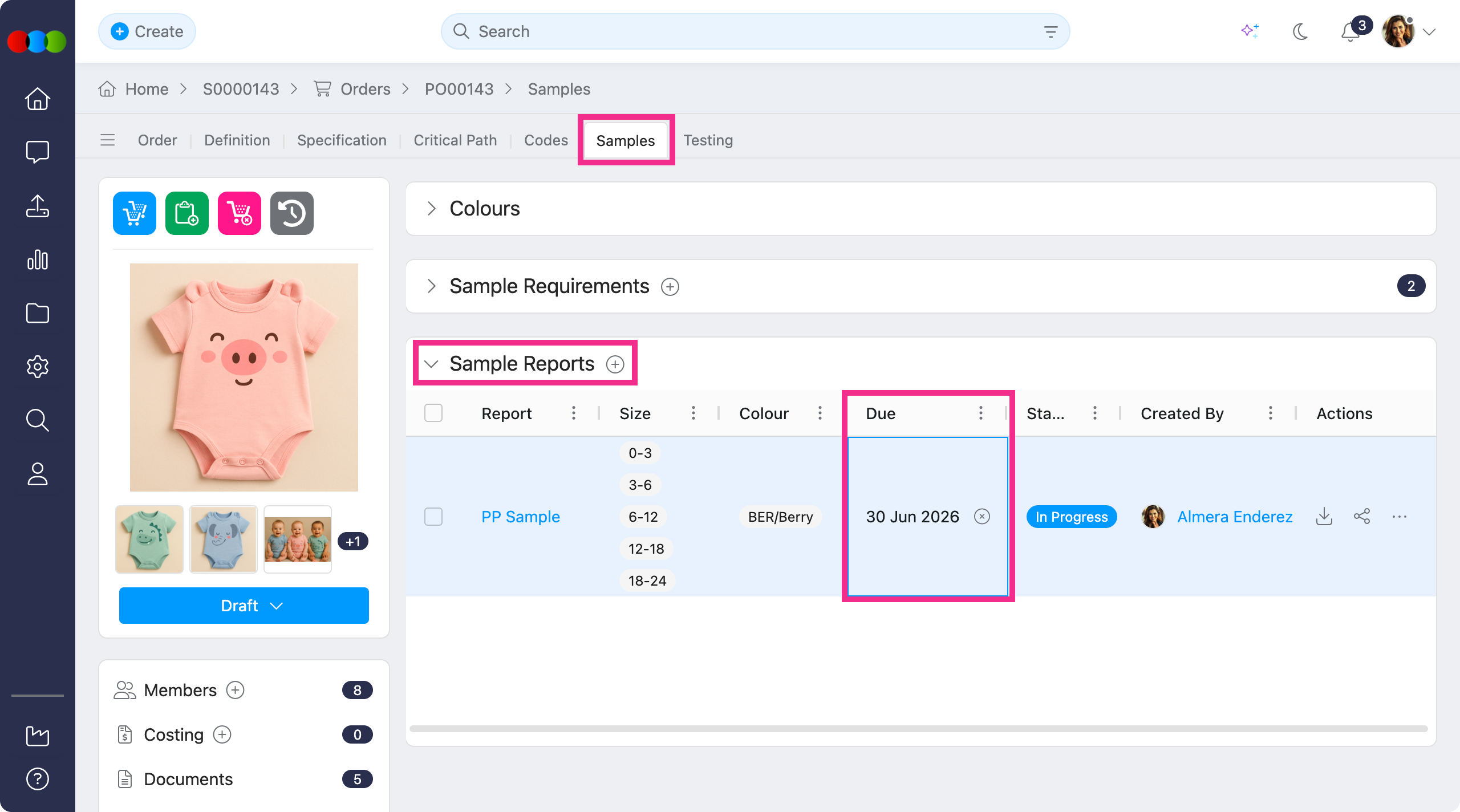
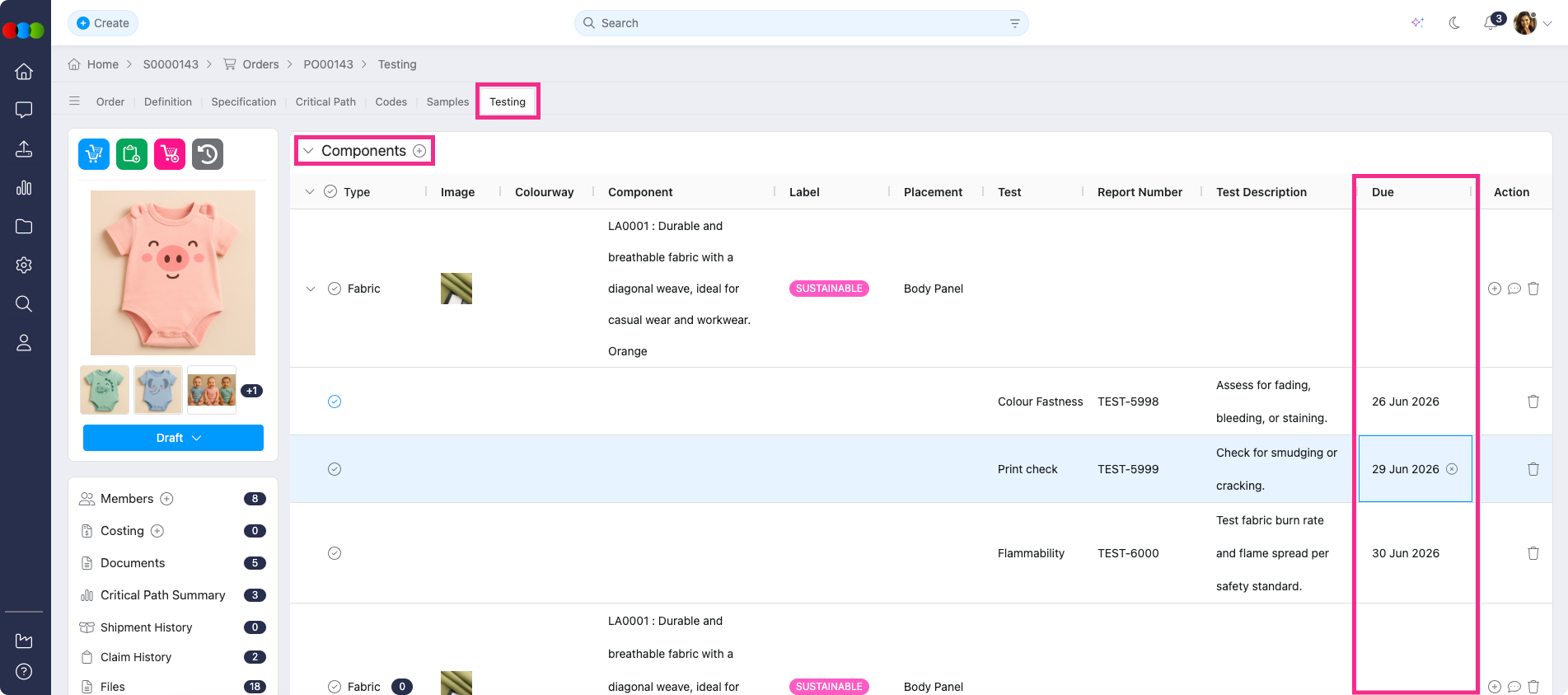
What changes for your team:
- Enter or update a Due Date on the sample report or component's test.
- If given the permission to view the Calendar, these dates will appear in your member's 3 Clicks Cloud account.
What changes for your suppliers:
- Sample report and test due dates now appear on the Outstanding Activities calendar next to existing critical path and sample requirement deadlines.
- When shared to suppliers, they can see which sample reports and tests are due on a selected day, or spot overdue work.
Learn more
For field-level details and how suppliers use the Outstanding Activities calendar, see the following in the documentation portal:
Thank you for helping us make things better! If you spot anything else, let us know — we're always here to help.
Happy clicking!
Previous Release Notes