Dates
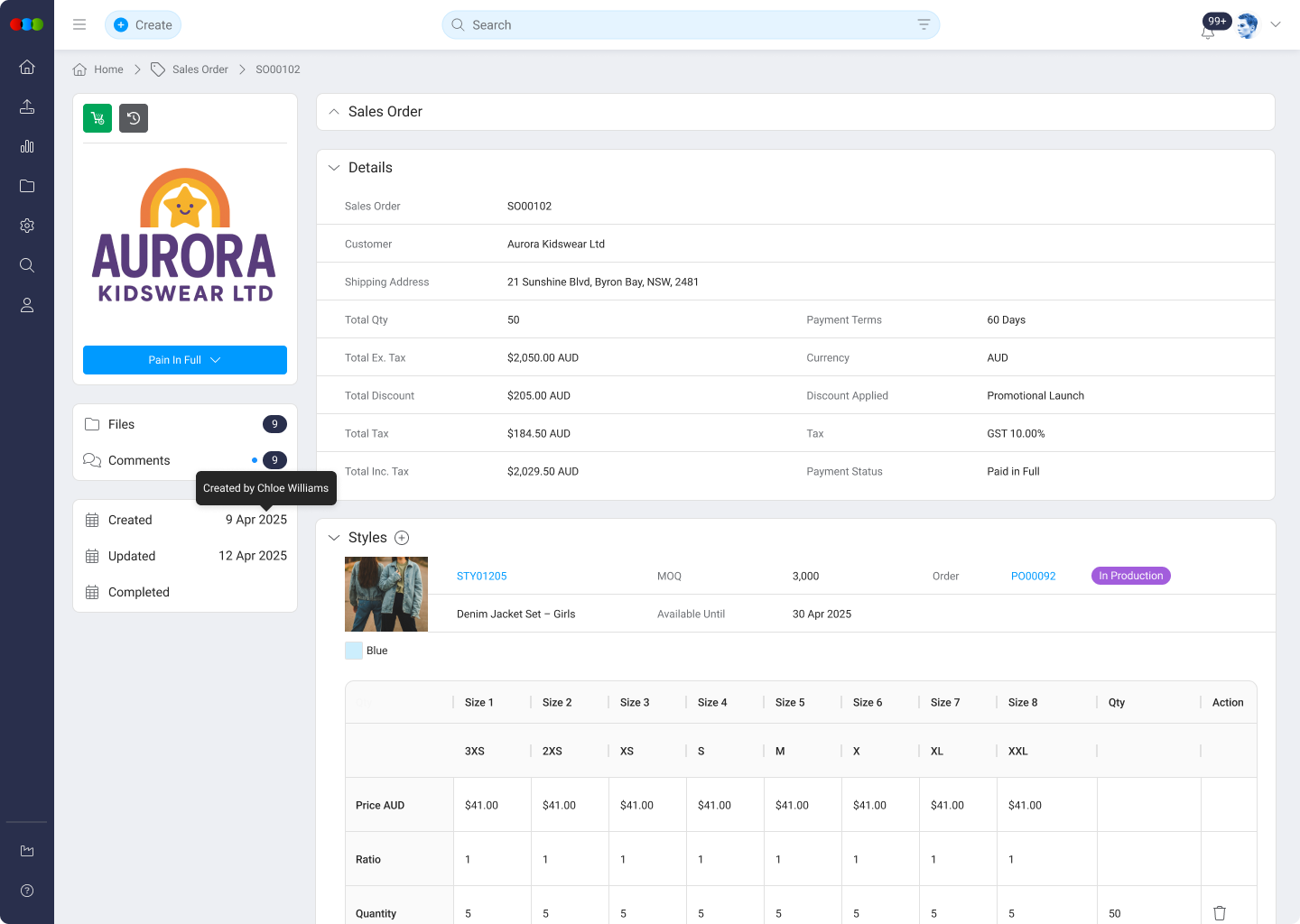
The Dates section records key lifecycle timestamps associated with a sales order. These values provide essential context for tracking order progression and identifying bottlenecks or delays. Editable fields commonly align with sales order dates such as placed, confirmed, and required delivery so customer service, planning, and logistics share one timeline.
Each sales order includes several date fields, some of which are automatically generated by the system, while others are manually configurable. This ensures accurate auditing and accountability across teams managing the order.
Fields and Configuration
| Field | Description |
|---|---|
| Created | Automatically generated when the sales order is first created. Not editable. |
| Updated | Automatically updated each time the sales order is modified. Not editable. |
| Completed | Automatically set once the sales order is marked as fully completed. Not editable. |
| Other Date Fields | These may include expected ship dates, delivery windows, or custom milestones. Editable via calendar picker or cleared using the ✕ icon. |
Helpful Tips
- Use editable date fields to coordinate with internal production or external logistics partners.
- Regularly review and update manually configured dates to ensure planning accuracy.
- Non-editable system fields can be referenced for audit trails and reporting consistency.
Dates across applications
Sales Order › Dates tracks the customer/sales timeline.
Factory and supply-chain milestones stay on Order › Dates and Style › Dates for linked product work. Customer requested delivery and production In Store can differ; changing one does not update the other automatically.
For per-application behaviour and automations (for example order ETD offsets and automatic order completion), see Dates across applications.