Export
The Export section enables administrators to create and manage customised data export templates for various modules across the platform. These templates are used for Claims, Costing, Orders, and Styles, allowing you to define specific fields, formats, and conditions to tailor data outputs for reporting, analysis, or integration with external systems.
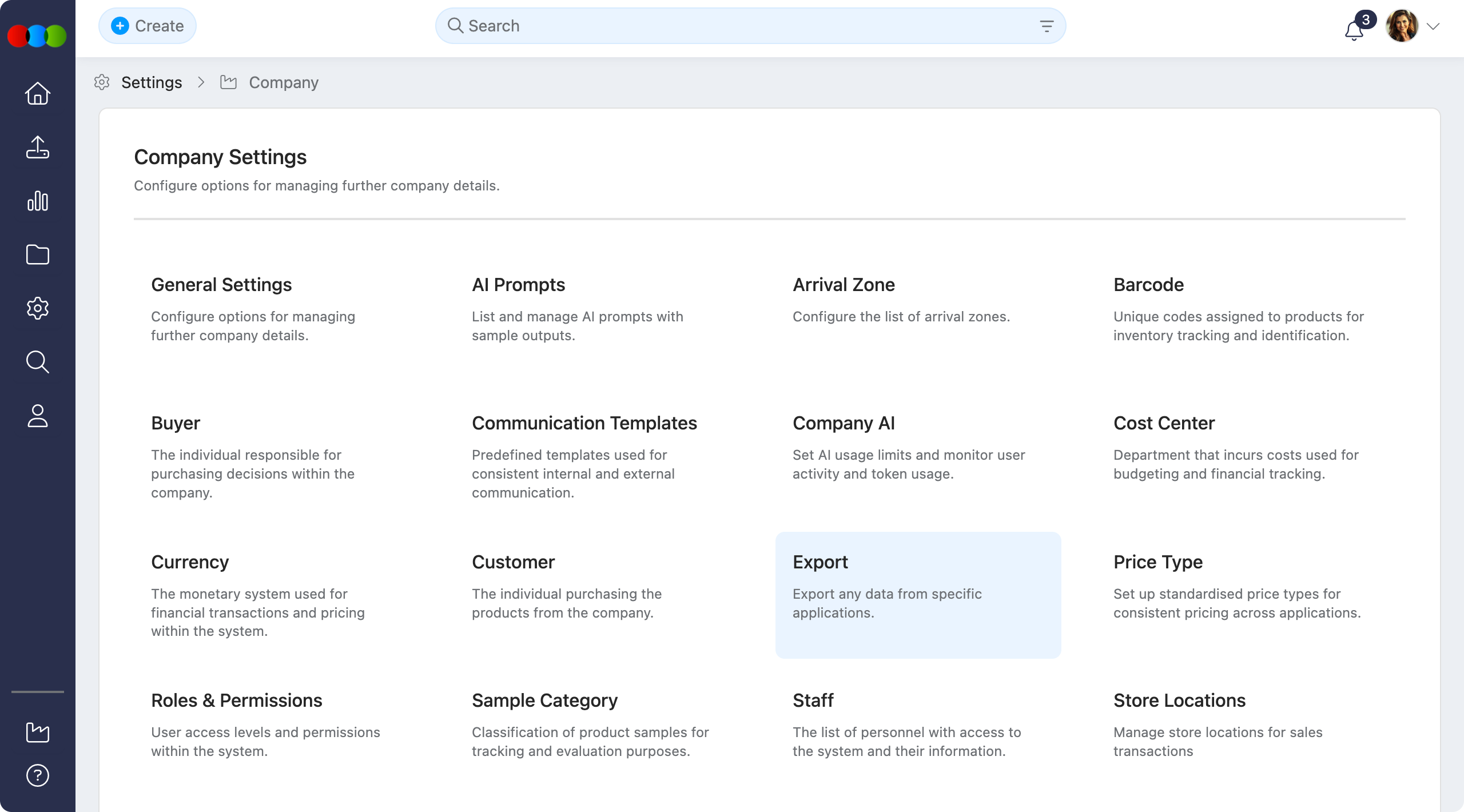
Export templates represent reusable configurations that define how data is extracted and formatted for export. By managing these centrally, teams can standardise reporting outputs, ensure consistent data structures for downstream systems, and streamline recurring extraction tasks across procurement-related activities.
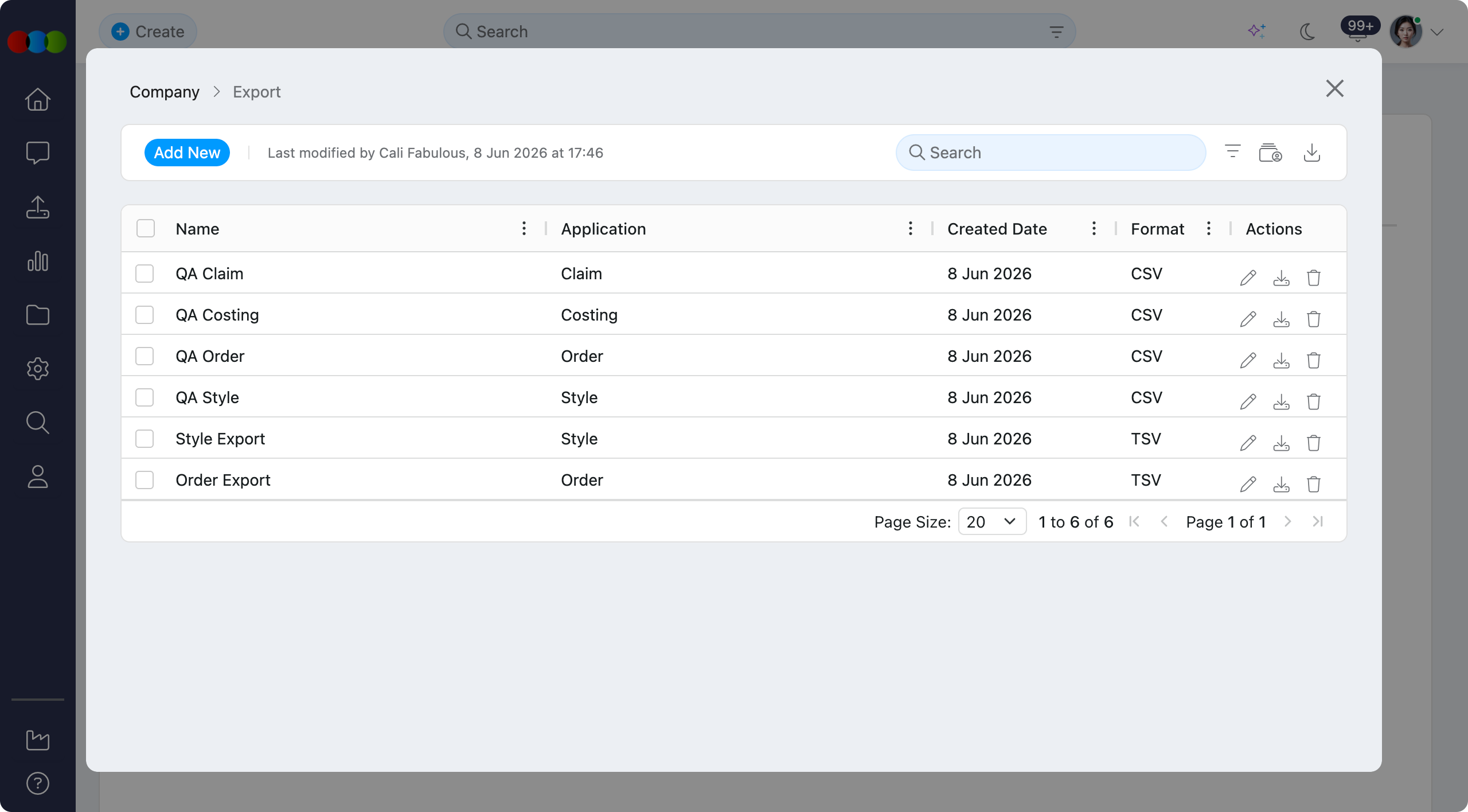
Templates can be configured for one-time use or saved for recurring tasks. You can select which fields to include, define the output format (.csv or .tsv), and apply filters—including date ranges—to ensure you get the exact data you need every time. When you download an export template, the file is generated and then downloaded directly in your browser once processing is complete.
Quick Check - Before You Start
- Know which Application (Claim, Costing, Order, Style) the export is for and the fields your downstream tool requires.
- Run a small test export after changes so column order, headers, and quoting match spreadsheets or ERP imports.
Managing Export Templates
Add Export Template
- Click the Add New button at the top left.
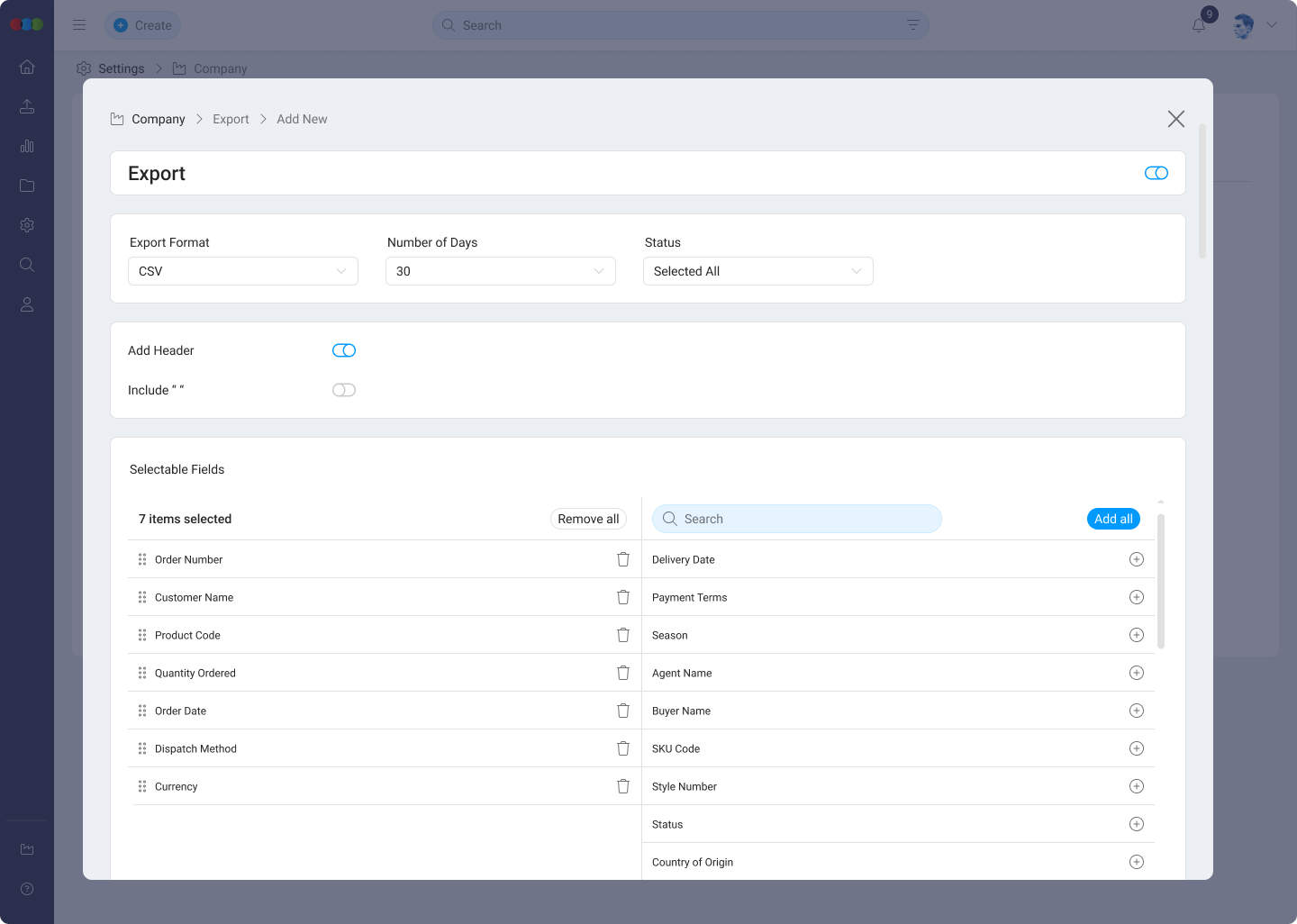
- Configure the export settings in the pop-up window:
- Name: Enter a clear name for the export template.
- Application: Select Claim, Costing, Order, or Style.
- Export Format: Select CSV or TSV.
- Add Header: Tick this checkbox to include column headings in the exported file.
- Include " ": Tick this checkbox to wrap exported values in quotation marks.
- Number of Days: Select All or choose 1 to 7 days.
- Status: Select a status. The available options depend on the selected Application.
- Click Save to create the template.
Edit Export Template
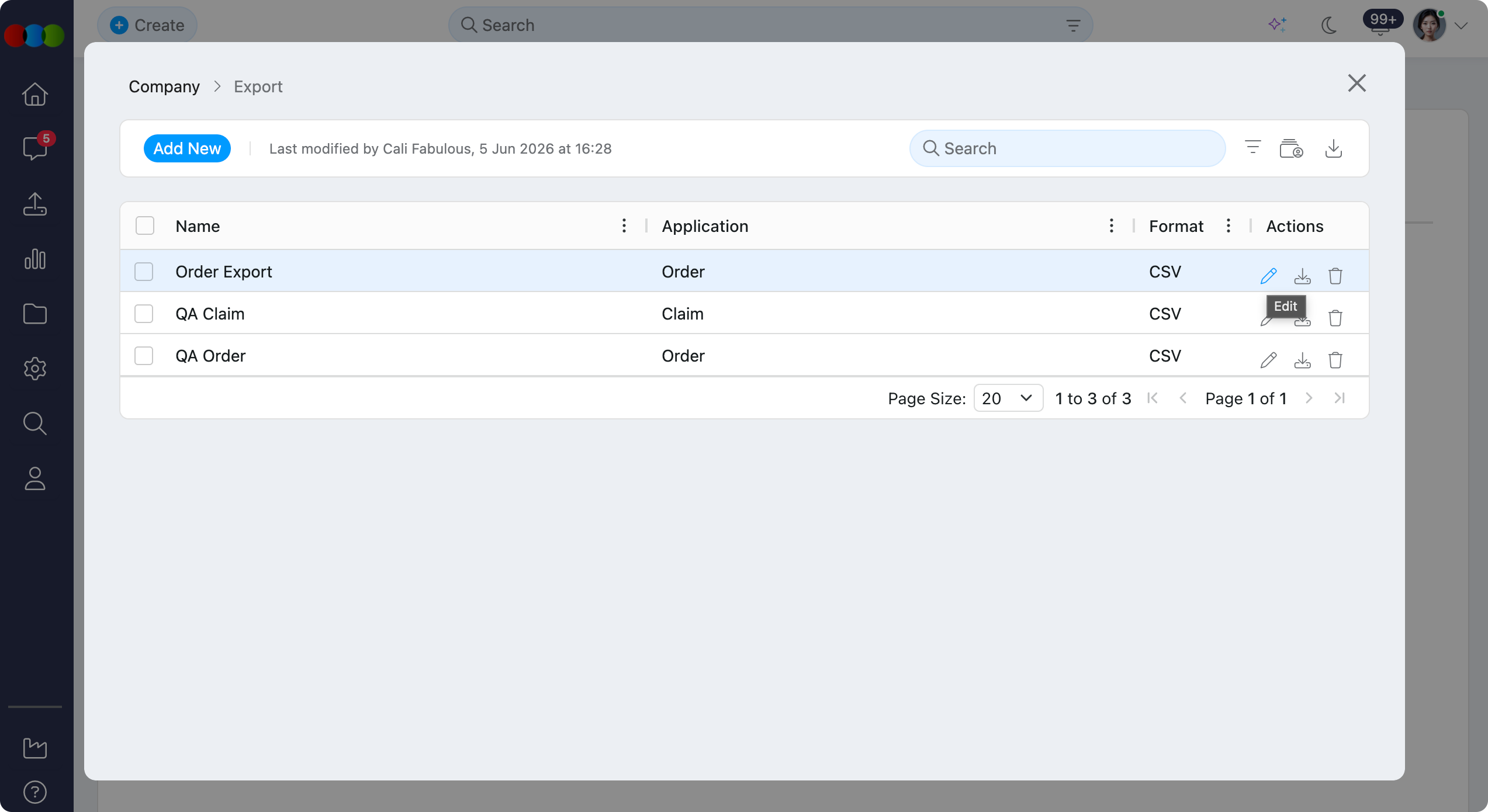
- Click the pen icon next to the template you wish to modify.
- After the template has been saved, the Selected Fields section displays in the edit pop-up.
- Select the fields to include in the export.
- Drag and drop the selected fields to arrange the export column order.
- Click Save to apply the changes.
Download Export
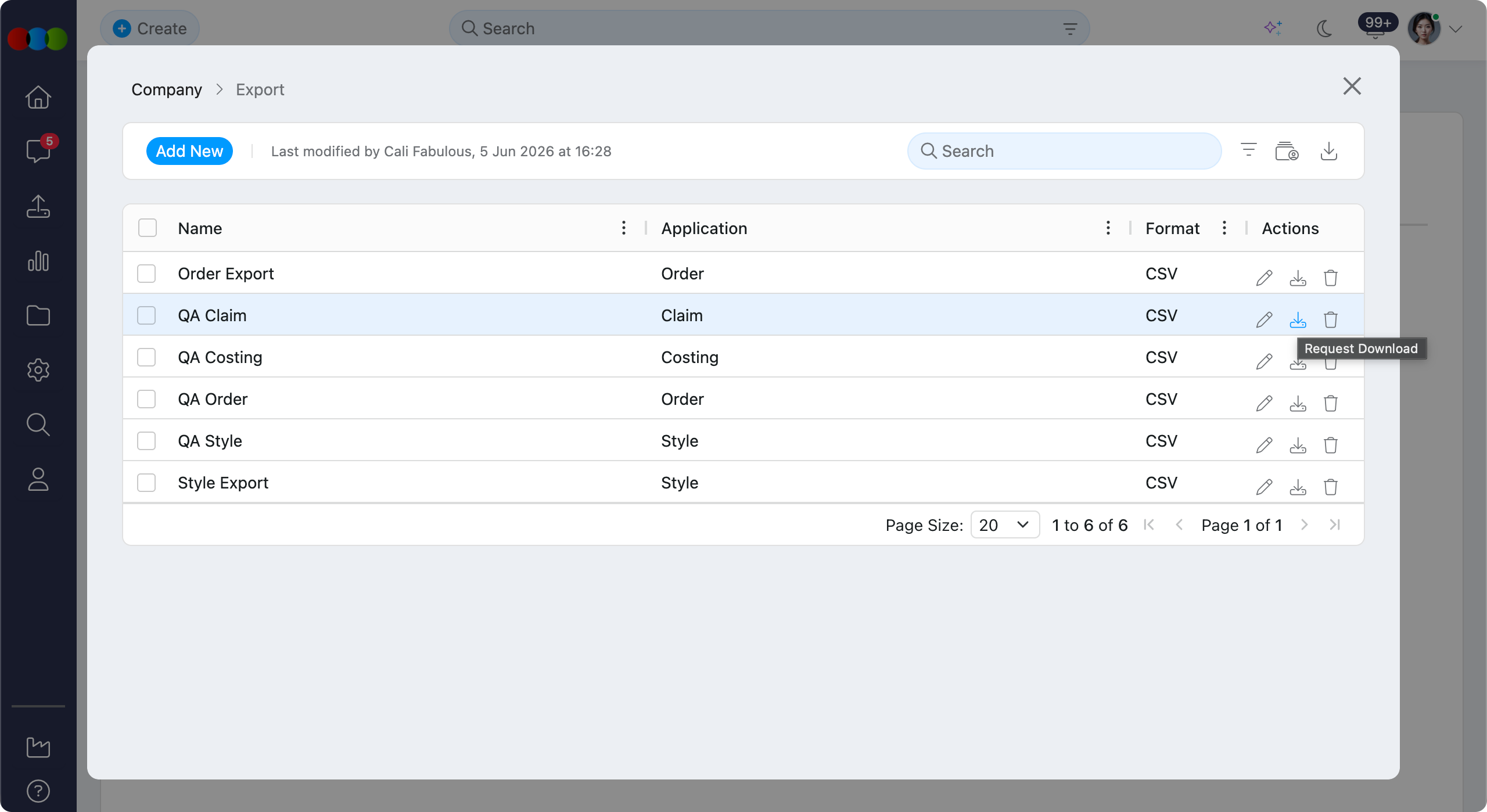
Click the download icon to generate a file using that template. Once processing is complete, the export downloads directly in your browser using the saved format, field selection, and field order.
Delete Export Template
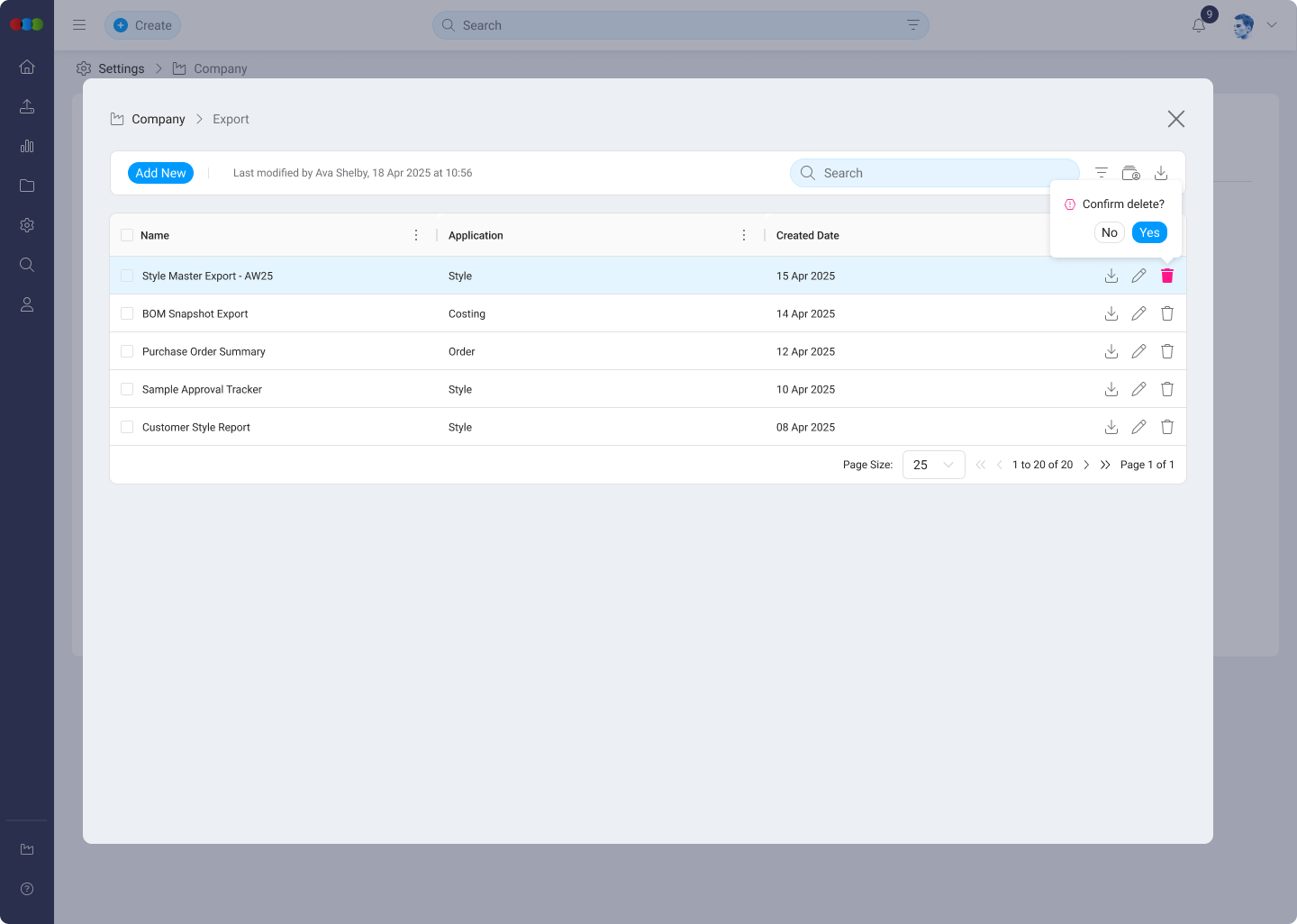
- Single delete: Click the trashcan icon next to a template and confirm the action in the pop-up.
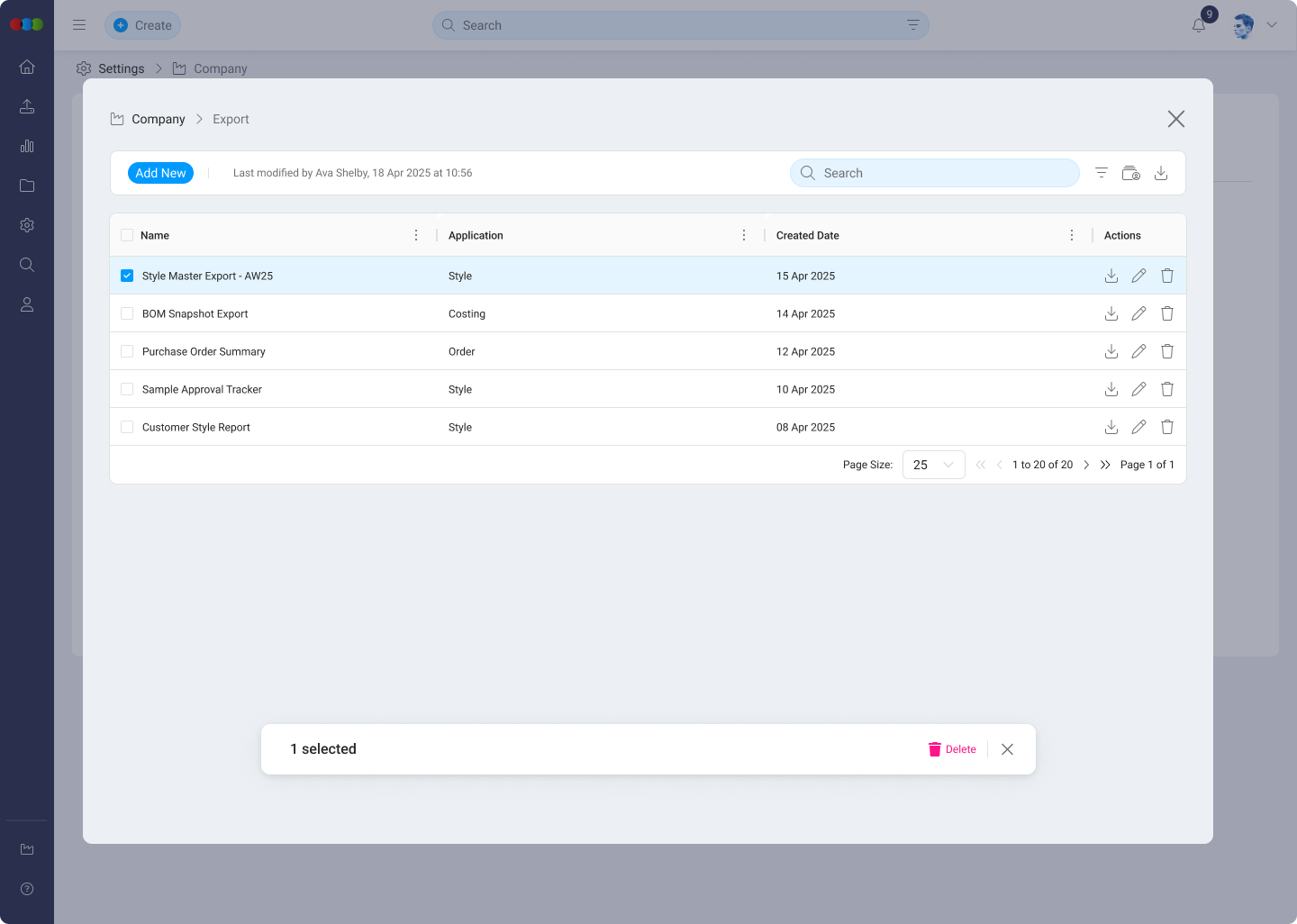
- Bulk delete: Select the checkboxes for multiple templates, then click the main delete icon that appears at the top of the table and confirm deletion.
Other Actions
| Action | Description |
|---|---|
| Filter | Use the dropdown to view templates by Application (e.g. All, Claim, Costing). 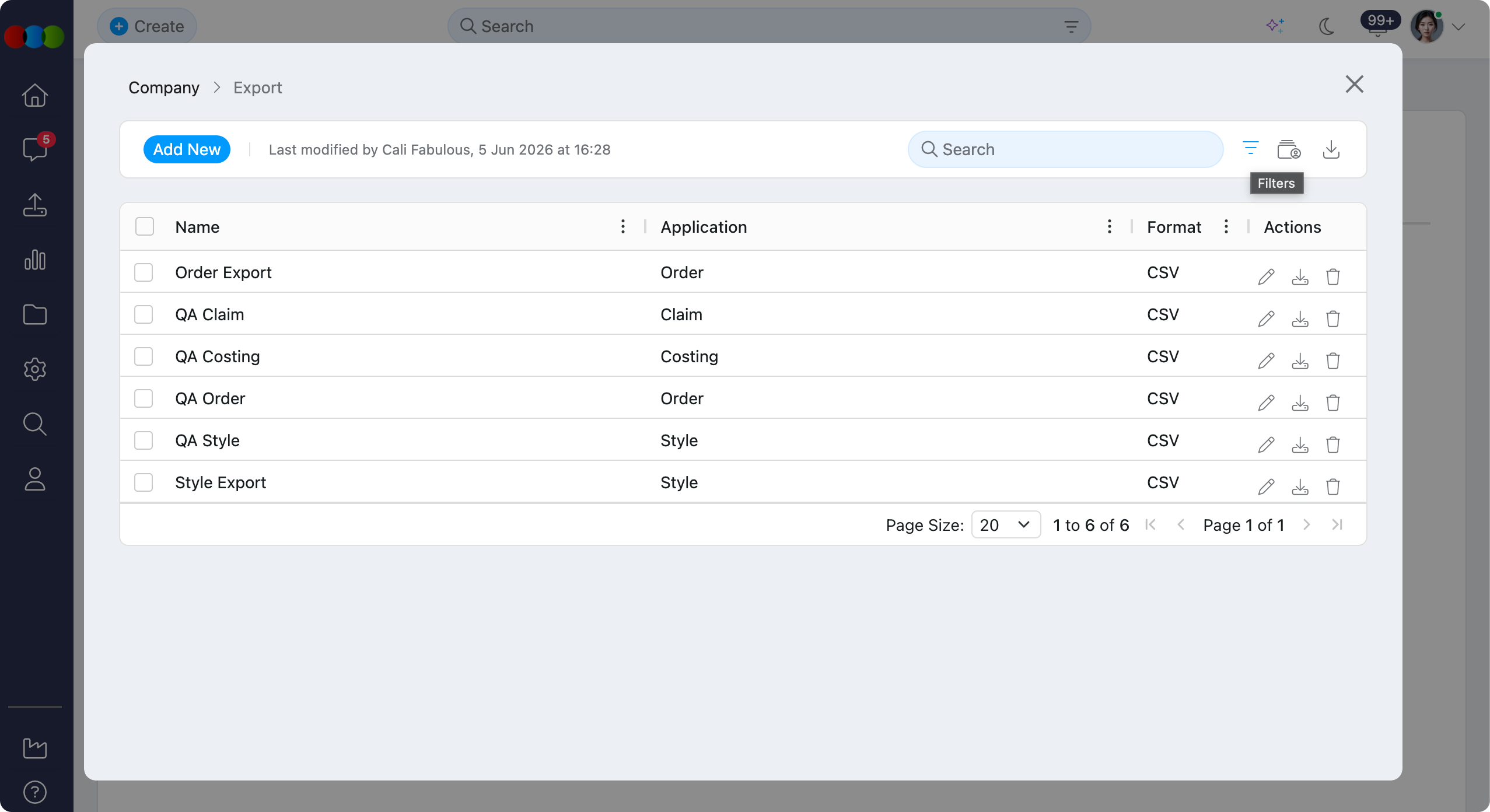 |
| Search | Find a specific template by name using the search bar. 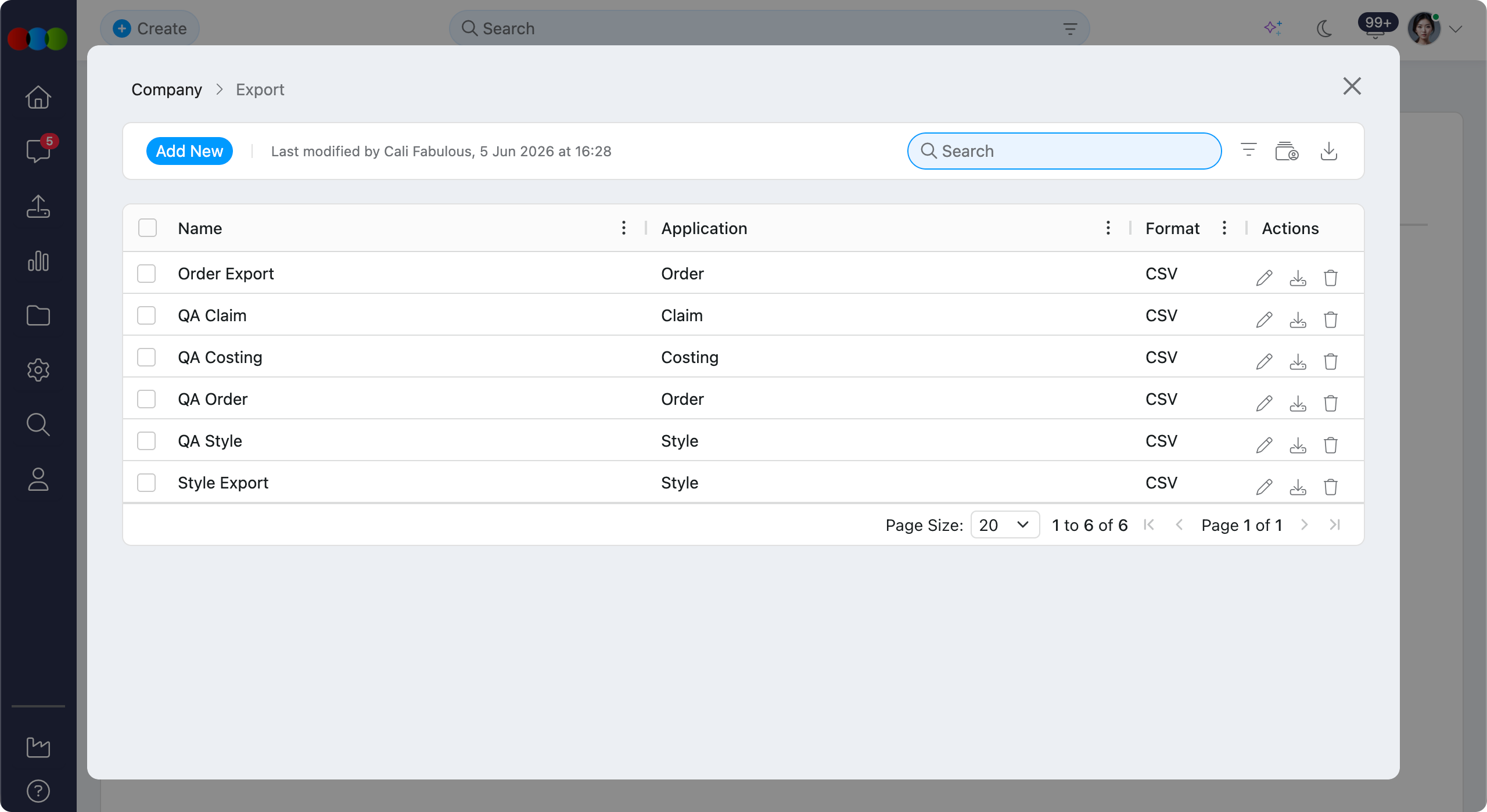 |
| History | Export a detailed change log of all edits and deletions in .xlsx format for auditing purposes. 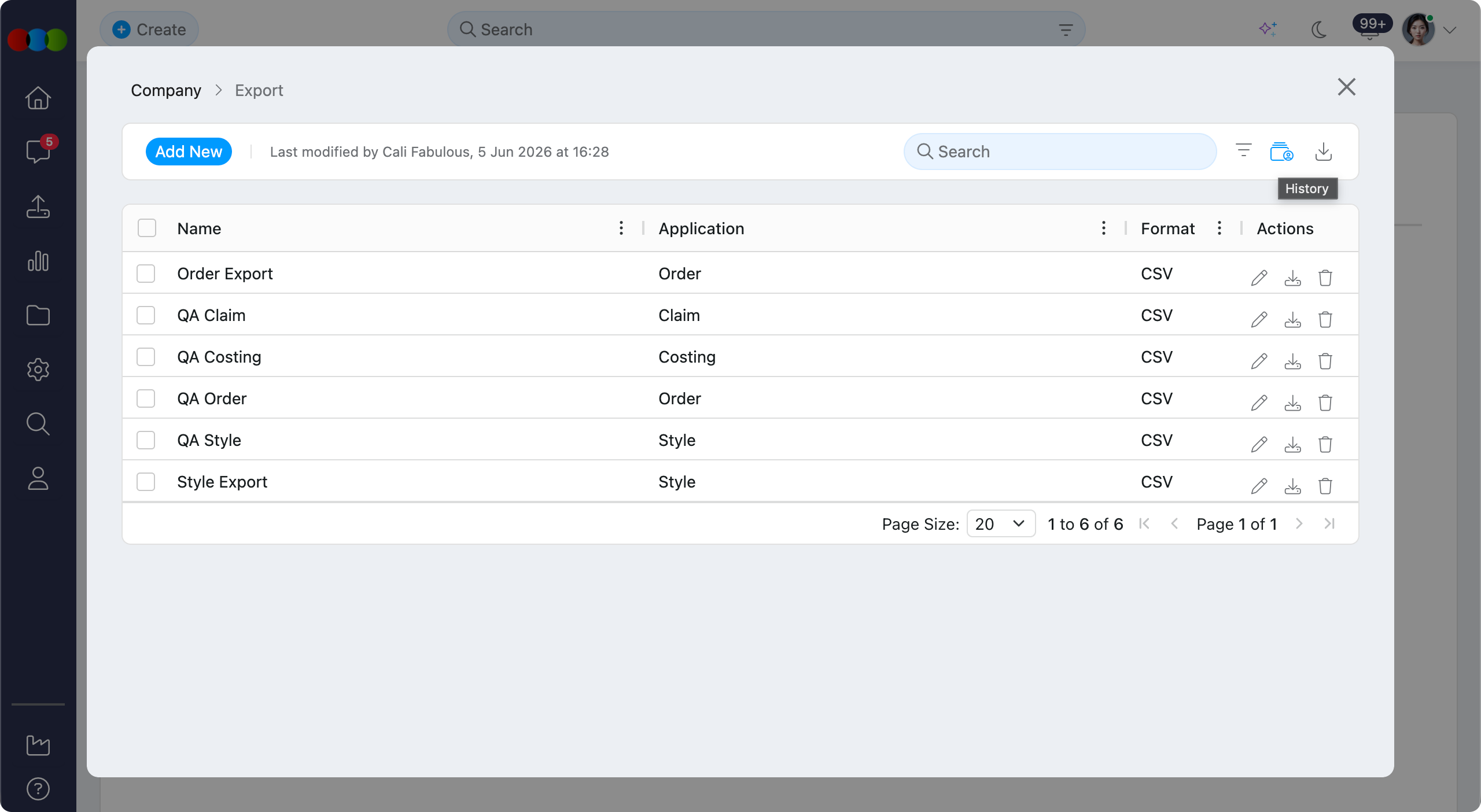 |
| Export | Download the current staff list as an .xlsx file. The exported file includes: Name, Application, and Format. 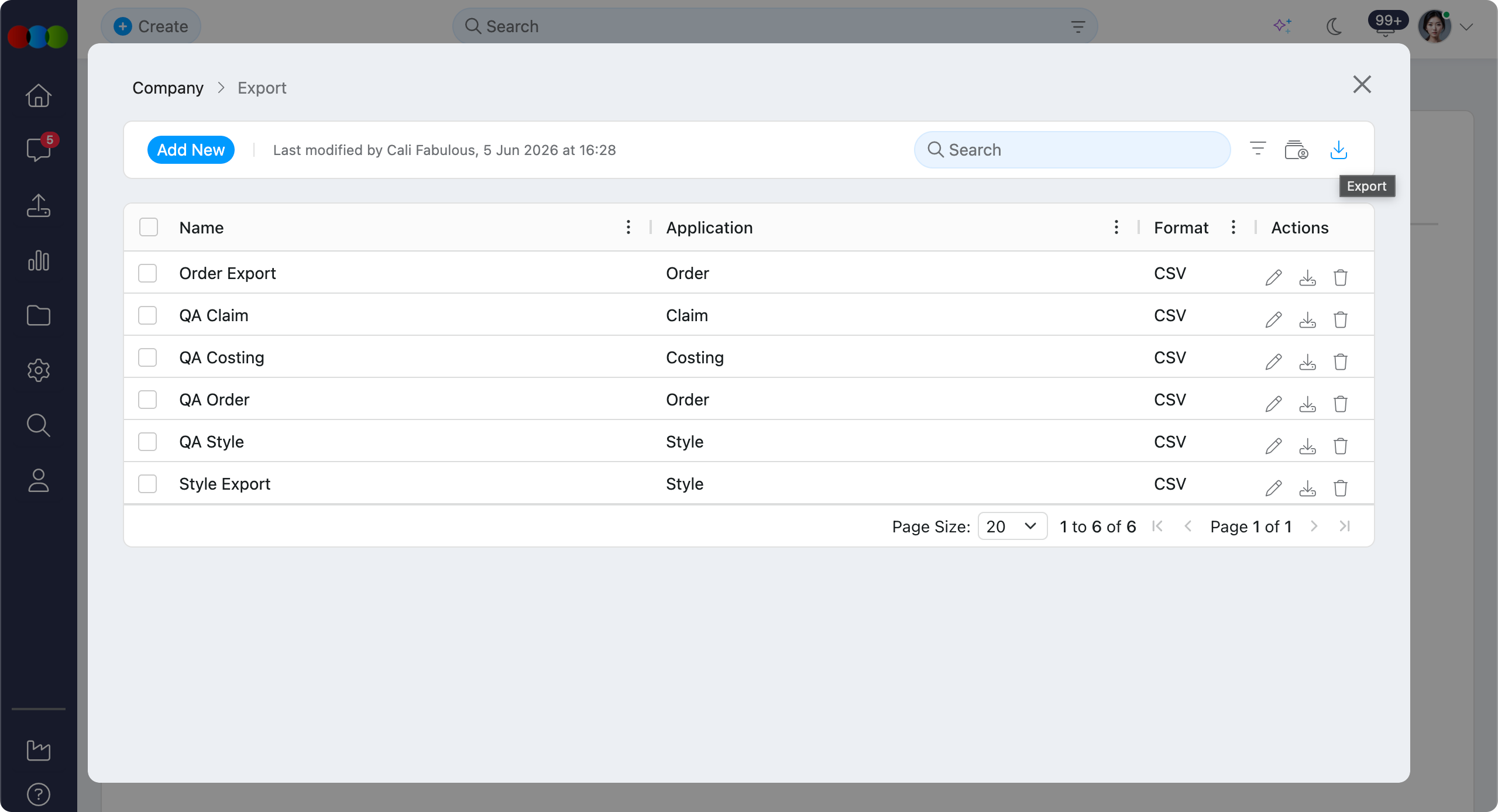 |
Fields Available
Field selection and column order are configured in Site Settings > Company > Export when editing an export template. The Configured in column below shows where the source value or dropdown list is maintained.
Claim Fields
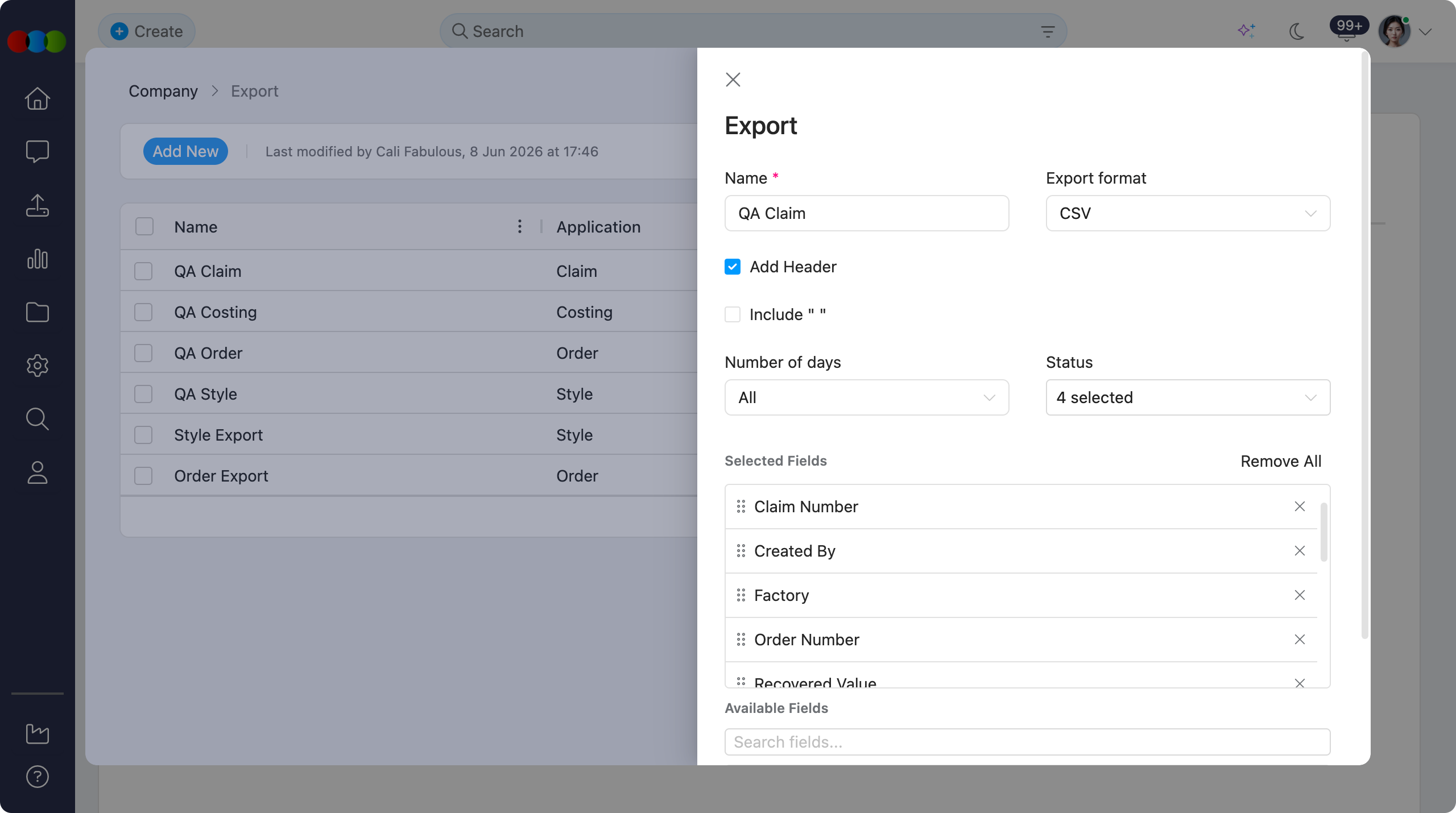
| Field | Description | Configured in |
|---|---|---|
| Agent | Supplier agent linked to the claim or related order. | Site Settings > Company > Suppliers |
| Claim Number | Unique claim reference used to identify the claim. | Claim record |
| Created By | User who created the claim. | Site Settings > Company > Staff |
| Factory | Supplier factory linked to the claim or related order. | Site Settings > Company > Suppliers |
| Order Number | Related order reference connected to the claim. | Order record |
| Recovered Value | Amount recovered against the claim. | Claim record |
| Recovered Value Currency | Currency used for the recovered value. | Site Settings > Company > Currency |
| Resolution | Outcome or resolution recorded for the claim. | Claim record |
| Status | Current claim workflow status. | Claim record |
| Style Number | Style associated with the claim. | Style record |
| Total Quantity | Total quantity affected by the claim. | Claim record |
| Type | Claim type used to classify the issue. | Site Settings > Claim > Type |
| Value | Original claim value. | Claim record |
| Value Currency | Currency used for the claim value. | Site Settings > Company > Currency |
Costing Fields
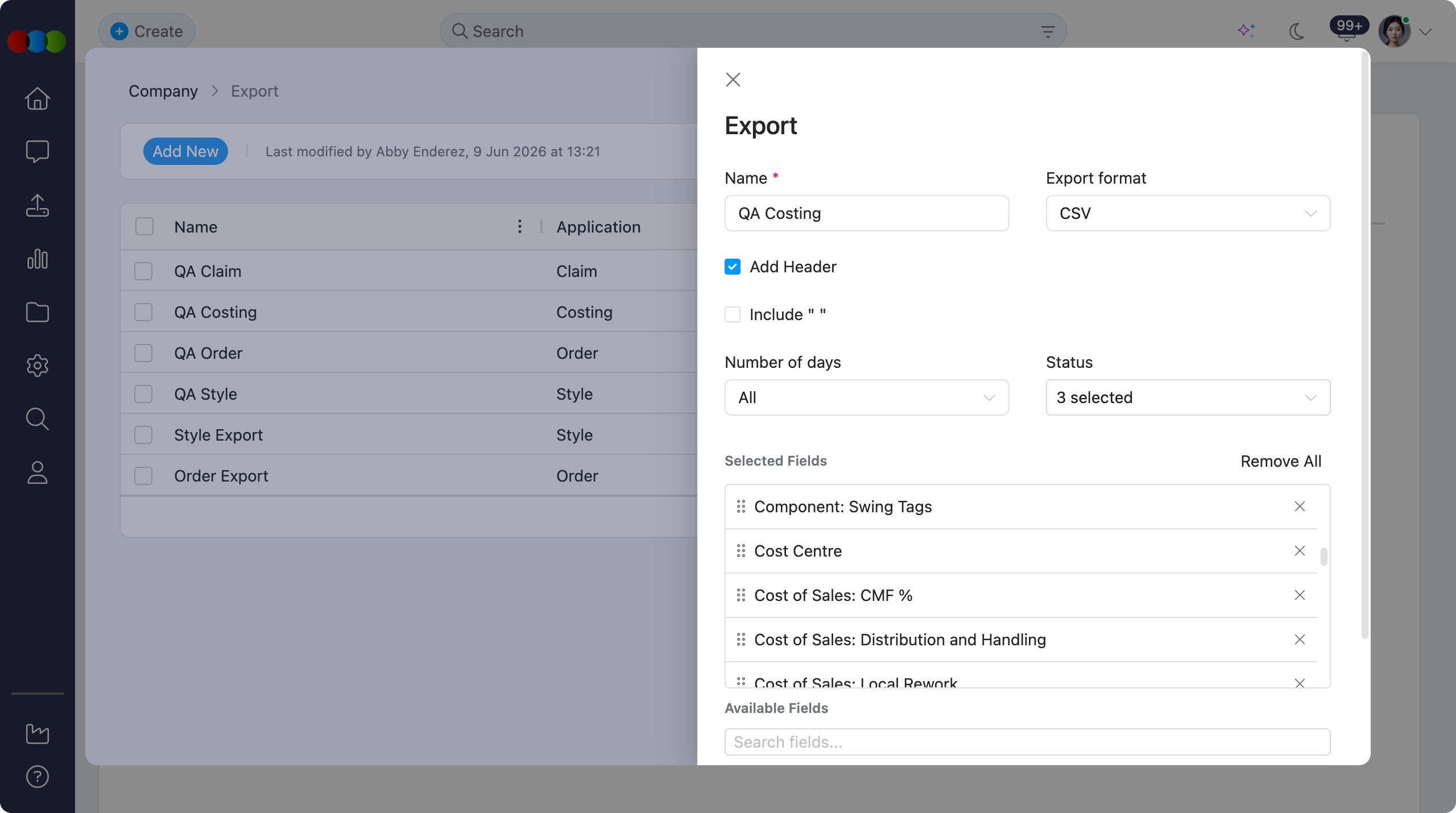
| Field | Description | Configured in |
|---|---|---|
| Authorisation | Approval or authorisation state for the costing. | Costing record |
| Buy Terms Code | Code for the buy terms applied to the costing. | Site Settings > Company > Terms |
| Component: Brand Label | Brand label component cost included in the costing. | Costing record |
| Component: Other | Other component costs included in the costing. | Costing record |
| Component: Price Ticket | Price ticket component cost included in the costing. | Costing record |
| Component: Swing Tags | Swing tag component cost included in the costing. | Costing record |
| Cost Centre | Cost centre assigned to the costing or linked style. | Site Settings > Company > Cost Center |
| Cost of Sales: CMF % | Cost of sales percentage for CMF calculations. | Site Settings > Costing > General Settings |
| Cost of Sales: Distribution and Handling | Distribution and handling cost used in costing calculations. | Costing record |
| Cost of Sales: Local Rework | Local rework cost used in costing calculations. | Costing record |
| Cost of Sales: Marketing | Marketing cost used in costing calculations. | Costing record |
| Cost of Sales: Other Costs | Additional cost of sales amount used in the costing. | Costing record |
| Cost of Sales: Outgoing Freight | Outgoing freight cost used in costing calculations. | Costing record |
| Cost of Sales: Royalty | Royalty cost included in the costing. | Costing record |
| Costing Number | Unique costing reference. | Costing record |
| Created By | User who created the costing. | Site Settings > Company > Staff |
| Customer | Customer linked to the costing. | Site Settings > Company > Customer |
| Customer Code | Code for the linked customer. | Site Settings > Company > Customer |
| Duty & Freight: Freight In | Inbound freight amount included in duty and freight calculations. | Site Settings > Costing > Freight |
| Duty & Freight: Port and Disbursement | Port and disbursement amount included in duty and freight calculations. | Costing record |
| Exchange Rate (Buy) | Exchange rate used for buy-side currency conversion. | Costing record |
| Factory | Factory supplier selected for the costing. | Site Settings > Company > Suppliers |
| Factory Buy Price | Factory buy price before local currency conversion. | Costing record |
| Factory Buy Price Currency | Currency used for the factory buy price. | Site Settings > Company > Currency |
| Factory Buy Price Local | Factory buy price converted to local currency. | Costing record |
| Factory Buy Price Local Currency | Local currency used for the factory buy price. | Site Settings > Company > Currency |
| Factory Code | Code for the selected factory supplier. | Site Settings > Company > Suppliers |
| Factory EBIT | Factory EBIT value calculated from the costing. | Costing record |
| Factory EBIT Currency | Currency used for the factory EBIT value. | Site Settings > Company > Currency |
| Factory Landed Cost | Landed cost calculated for the selected factory. | Costing record |
| Factory Landed Cost Currency | Currency used for factory landed cost. | Site Settings > Company > Currency |
| Factory Total Cost | Total cost calculated for the selected factory. | Costing record |
| Factory Total Cost Currency | Currency used for factory total cost. | Site Settings > Company > Currency |
| Freight in Code | Freight code applied to inbound freight calculations. | Site Settings > Costing > Freight |
| Group | Grouping value associated with the costing. | Costing record |
| Import Duty | Import duty rate or amount applied to the costing. | Site Settings > Costing > Import Duty |
| License | Licence linked to the costing or style. | Site Settings > Style > License |
| License Code | Code for the linked licence. | Site Settings > Style > License |
| QC Cost | Quality control cost applied to the costing. | Site Settings > Company > Suppliers |
| RRP | Recommended retail price used in the costing. | Costing record |
| RRP Currency | Currency used for the RRP. | Site Settings > Company > Currency |
| Season | Season linked to the costing or style. | Site Settings > Style > Season |
| Selected Factory Column | Factory column selected for comparison or export. | Costing record |
| Sell Currency | Currency used for the sell price. | Site Settings > Company > Currency |
| Sell Price | Sell price used in the costing. | Costing record |
| Sell Price Local | Sell price converted to local currency. | Costing record |
| Sell Price Local Currency | Local currency used for the sell price. | Site Settings > Company > Currency |
| Style Description | Description of the linked style. | Style record |
| Style Number | Style linked to the costing. | Style record |
| Total Sales | Total sales value calculated from the costing. | Costing record |
| Total Sales Currency | Currency used for total sales. | Site Settings > Company > Currency |
Order Fields
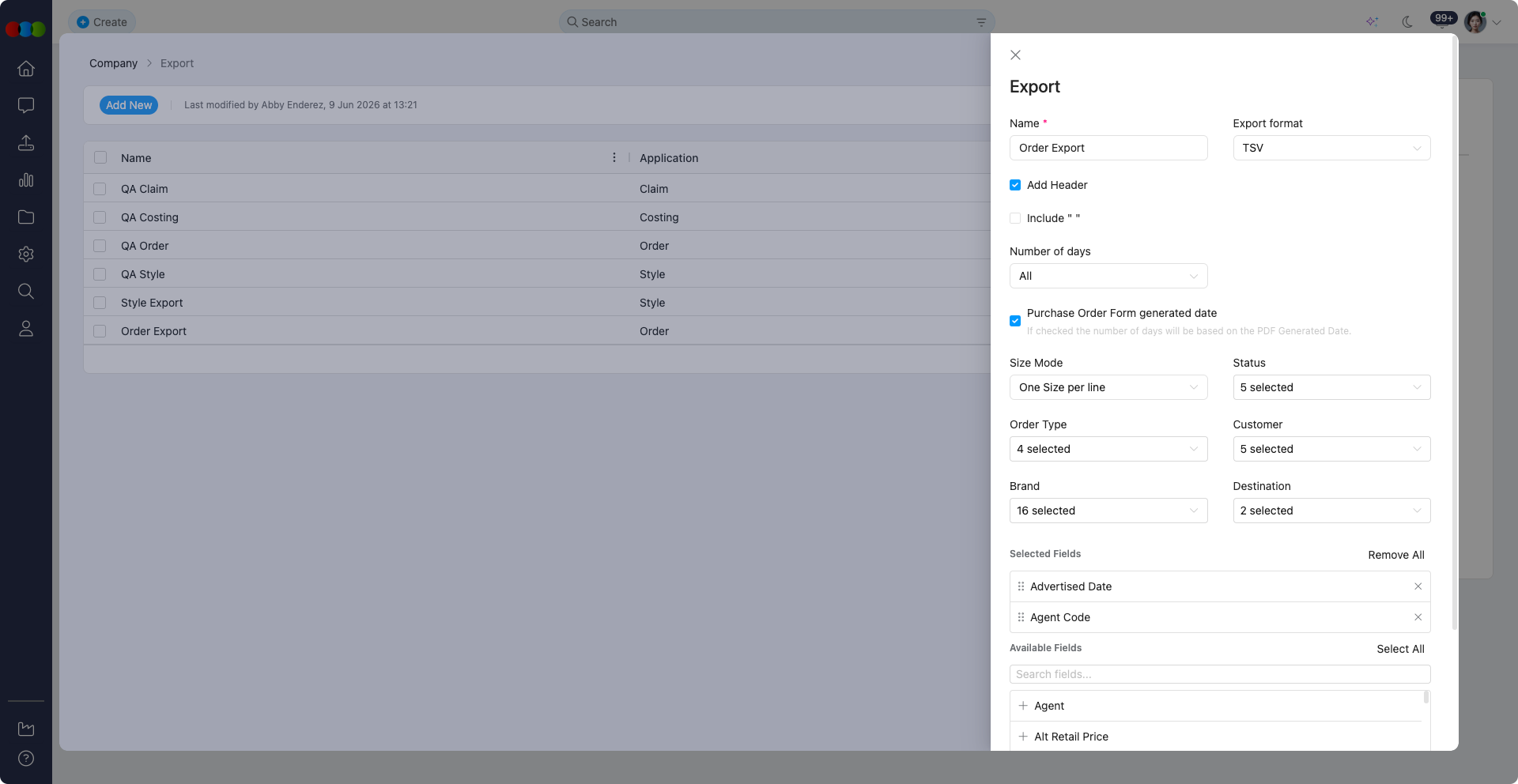
| Field | Description | Configured in |
|---|---|---|
| Size Mode | Controls whether exported order sizes appear one size per line or multiple sizes per line. | Export template |
| Status | Filters orders by status, such as Cancelled, Completed, Draft, On Hold, or In Production. | Order record |
| Order Type | Filters orders by type, such as Production, Sample, Sales Order - Consolidated, or Sales Order - Single. | Order record |
| Customer | Filters orders by customer. | Site Settings > Company > Customer |
| Brand | Filters orders by brand. | Site Settings > Style > Brand |
| Destination | Filters orders by destination. | Site Settings > Shipping > Destination |
Selectable Order Fields
| Field | Description | Configured in |
|---|---|---|
| Advertised Date | Advertised date recorded on the order. | Order record |
| Agent | Supplier agent linked to the order. | Site Settings > Company > Suppliers |
| Agent Code | Code for the linked supplier agent. | Site Settings > Company > Suppliers |
| Alt Retail Price | Alternate retail price for the ordered style. | Style record |
| Alt Retail Price Currency | Currency used for the alternate retail price. | Site Settings > Company > Currency |
| Barcode | Barcode assigned to the ordered style or size. | Style record |
| Brand | Brand linked to the order style. | Site Settings > Style > Brand |
| Brand Code | Code for the linked brand. | Site Settings > Style > Brand |
| Buy Price | Buy price used on the order. | Order record |
| Buyer | Buyer assigned to the order or customer. | Site Settings > Company > Buyer |
| Buyer Code | Code for the assigned buyer. | Site Settings > Company > Buyer |
| Category | Product category for the ordered style. | Site Settings > Style > Category |
| Collection | Collection linked to the ordered style. | Site Settings > Style > Collection |
| Collection Code | Code for the linked collection. | Site Settings > Style > Collection |
| Colour (Description) | Colour description for the ordered style. | Site Settings > Style > Colour |
| Colour Code | Code for the selected colour. | Site Settings > Style > Colour |
| Colour Total Qty | Total ordered quantity for the colour. | Order record |
| Component Number | Component reference linked to the ordered style. | Component record |
| Composition | Material composition for the ordered style. | Style record |
| Cost Center | Cost centre assigned to the order or style. | Site Settings > Company > Cost Center |
| Costing Number | Costing reference linked to the order. | Costing record |
| Created Date | Date the order was created. | Order record |
| Customer | Customer linked to the order. | Site Settings > Company > Customer |
| Customer Code | Code for the linked customer. | Site Settings > Company > Customer |
| Customer Reference Number | Customer reference saved on the order. | Order record |
| Customer Terms | Commercial terms applied for the customer. | Site Settings > Company > Terms |
| Definition Main Fabric Code | Code for the main fabric definition. | Style record |
| Definition Main Fabric Description | Description of the main fabric definition. | Style record |
| Department | Department assigned to the order. | Site Settings > Order > Department |
| Department Code | Code for the assigned department. | Site Settings > Order > Department |
| Description | Description of the ordered style. | Style record |
| Design Number | Design reference for the ordered style. | Style record |
| Destination | Delivery destination for the order. | Site Settings > Shipping > Destination |
| Destination Code | Code for the delivery destination. | Site Settings > Shipping > Destination |
| ETA | Estimated time of arrival for the order. | Order record |
| ETD | Estimated time of departure for the order. | Order record |
| Ex-Factory | Ex-factory date for the order. | Order record |
| Factory | Supplier factory linked to the order. | Site Settings > Company > Suppliers |
| Factory Code | Code for the linked factory supplier. | Site Settings > Company > Suppliers |
| Factory Country of Origin | Country of origin for the selected factory. | Site Settings > Company > Suppliers |
| Factory Packaging Template | Packaging template used by the factory. | Order record |
| Gender Code | Code for the linked gender. | Site Settings > Style > Gender |
| Gender Description | Gender description for the ordered style. | Site Settings > Style > Gender |
| GWP | Gift-with-purchase flag or value on the order. | Order record |
| In-Store | In-store date for the order. | Order record |
| InStore (QTY Section) | In-store value shown in the quantity section. | Order record |
| Keycode | Keycode assigned to the ordered style or customer range. | Style record |
| Landed Cost | Landed cost used on the order. | Costing record |
| Landed Cost Currency | Currency used for landed cost. | Site Settings > Company > Currency |
| License | Licence linked to the ordered style. | Site Settings > Style > License |
| License Code | Code for the linked licence. | Site Settings > Style > License |
| Licensed Submission Number | Licensed submission reference for the style or order. | Style record |
| Licensor | Licensor linked to the ordered style. | Site Settings > Style > Licensor |
| Licensor Code | Code for the linked licensor. | Site Settings > Style > Licensor |
| Order Number | Unique order reference. | Order record |
| Order Type | Type of order being exported. | Order record |
| Origin | Shipping origin for the order. | Site Settings > Shipping > Origin |
| Origin Code | Code for the shipping origin. | Site Settings > Shipping > Origin |
| Pack | Pack type or pack configuration used on the order. | Site Settings > Order > Pack |
| Packaging | Packaging details for the order. | Order record |
| Preparation | Preparation details for the order. | Order record |
| Ratio | Ratio used for size or pack quantities. | Order record |
| Retail Price | Retail price for the ordered style. | Style record |
| Retail Price Currency | Currency used for retail price. | Site Settings > Company > Currency |
| SalesPerson (Account Manager) | Staff member responsible for the account. | Site Settings > Company > Staff |
| Season | Season linked to the ordered style. | Site Settings > Style > Season |
| Sell Price | Sell price used on the order. | Order record |
| Sell Price Currency | Currency used for sell price. | Site Settings > Company > Currency |
| Shipping Freight Status | Freight status for the order shipment. | Site Settings > Shipping > Freight Status |
| Shipping Freight Status Code | Code for the freight status. | Site Settings > Shipping > Freight Status |
| Shipping Method | Shipping method used for the order. | Site Settings > Shipping > Shipping Method |
| Shipping Method Code | Code for the shipping method. | Site Settings > Shipping > Shipping Method |
| Size | Size included in the order quantity breakdown. | Site Settings > Style > Size Scales |
| Size Qty | Ordered quantity for the size. | Order record |
| Size Scale | Size scale linked to the ordered style. | Site Settings > Style > Size Scales |
| Size Scale Code | Code for the linked size scale. | Site Settings > Style > Size Scales |
| Status | Current order status. | Order record |
| Status Date Change | Date the order status last changed. | Order record |
| Stopped | Indicates whether the order has been stopped. | Order record |
| Story | Story linked to the ordered style. | Site Settings > Style > Story |
| Story Code | Code for the linked story. | Site Settings > Style > Story |
| Style Number | Style number linked to the order. | Style record |
| Sub Category | Product sub-category for the ordered style. | Site Settings > Style > Category |
| Sub Type | Product sub-type for the ordered style. | Site Settings > Style > Type |
| Tariff | Tariff classification for the ordered style. | Site Settings > Style > Tariff |
| Terms | Terms applied to the order. | Site Settings > Company > Terms |
| Total Order Qty | Total quantity ordered across sizes and colours. | Order record |
| Tun | Tun value recorded on the order. | Order record |
| Type | Product type for the ordered style. | Site Settings > Style > Type |
| Type Code | Code for the linked product type. | Site Settings > Style > Type |
| Vessel | Vessel name or reference for shipping. | Order record |
Style Fields
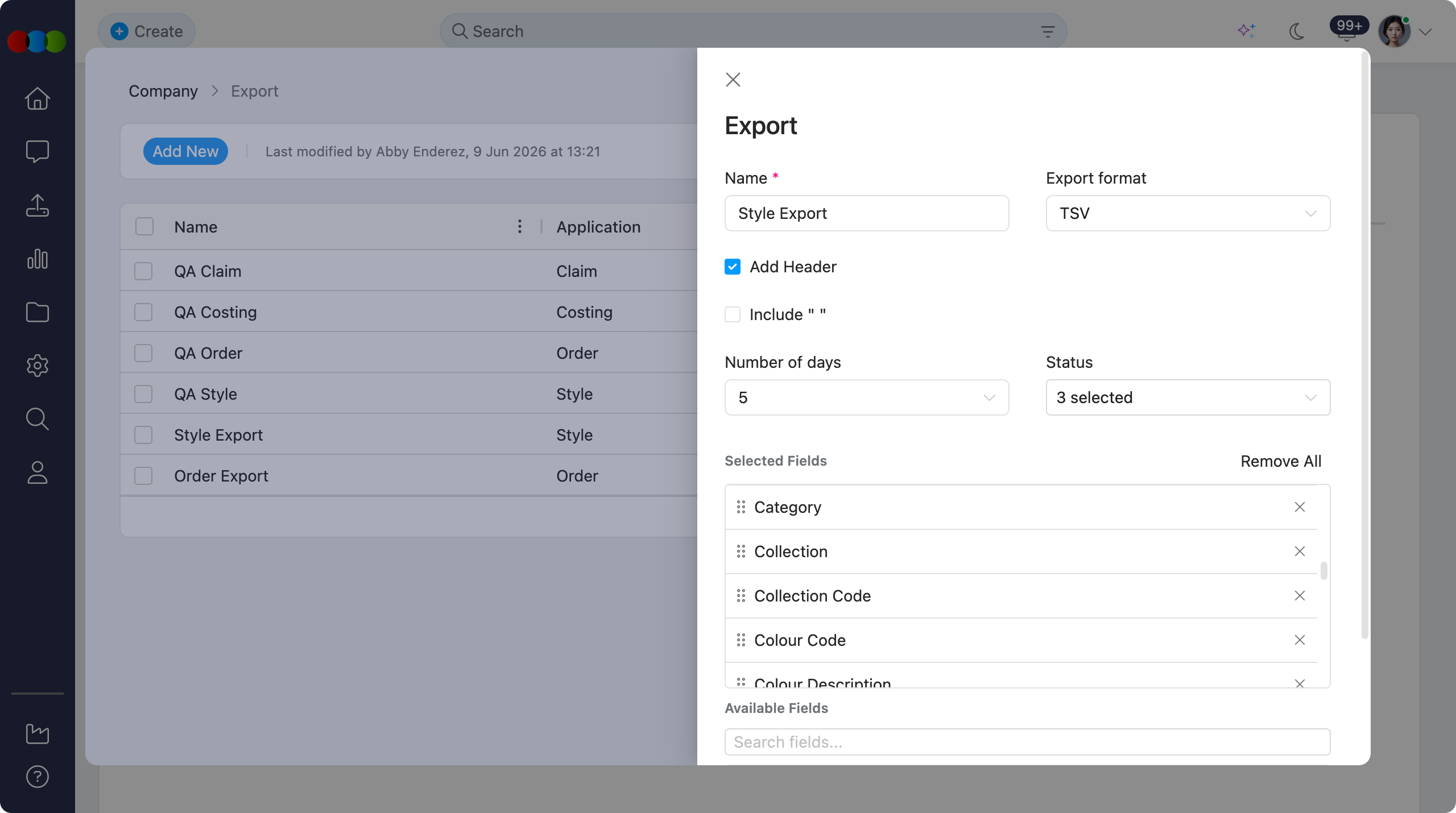
| Field | Description | Configured in |
|---|---|---|
| Alt Retail Price | Alternate retail price for the style. | Style record |
| Alt Retail Price Currency | Currency used for the alternate retail price. | Site Settings > Company > Currency |
| Barcode | Barcode assigned to the style or size. | Style record |
| Brand | Brand linked to the style. | Site Settings > Style > Brand |
| Brand Code | Code for the linked brand. | Site Settings > Style > Brand |
| Buy Price | Buy price saved on the style. | Style record |
| Category | Main product category for the style. | Site Settings > Style > Category |
| Collection | Collection linked to the style. | Site Settings > Style > Collection |
| Collection Code | Code for the linked collection. | Site Settings > Style > Collection |
| Colour Code | Code for the style colour. | Site Settings > Style > Colour |
| Colour Description | Description for the style colour. | Site Settings > Style > Colour |
| Composition | Material composition for the style. | Style record |
| Cost Center | Cost centre assigned to the style. | Site Settings > Company > Cost Center |
| Created By | User who created the style. | Site Settings > Company > Staff |
| Description | Style description. | Style record |
| Design Number | Design reference for the style. | Style record |
| Designer | Designer assigned to the style. | Site Settings > Company > Staff |
| Gender | Gender linked to the style. | Site Settings > Style > Gender |
| License | Licence linked to the style. | Site Settings > Style > License |
| License Code | Code for the linked licence. | Site Settings > Style > License |
| Licensed Sub No. | Licensed submission number for the style. | Style record |
| Licensor Code | Code for the linked licensor. | Site Settings > Style > Licensor |
| Retail Price | Retail price saved on the style. | Style record |
| Season | Season linked to the style. | Site Settings > Style > Season |
| Sell Price | Sell price saved on the style. | Style record |
| Size | Size included in the style size range. | Site Settings > Style > Size Scales |
| Size Scale | Size scale linked to the style. | Site Settings > Style > Size Scales |
| Size Scale Code | Code for the linked size scale. | Site Settings > Style > Size Scales |
| Status | Current style status. | Style record |
| Story | Story linked to the style. | Site Settings > Style > Story |
| Story Code | Code for the linked story. | Site Settings > Style > Story |
| Style Number | Unique style reference. | Style record |
| Sub Category | Product sub-category for the style. | Site Settings > Style > Category |
| Sub Type | Product sub-type for the style. | Site Settings > Style > Type |
| Tariff | Tariff classification for the style. | Site Settings > Style > Tariff |
| Type | Product type for the style. | Site Settings > Style > Type |
| Type Code | Code for the linked product type. | Site Settings > Style > Type |
Note
Larger exports may take longer to process. Keep the browser tab open until the download starts.
Best Practice
Build and save templates for recurring tasks such as monthly financial reports or weekly order summaries. Standard templates ensure consistency and save time when exporting data on a regular basis.
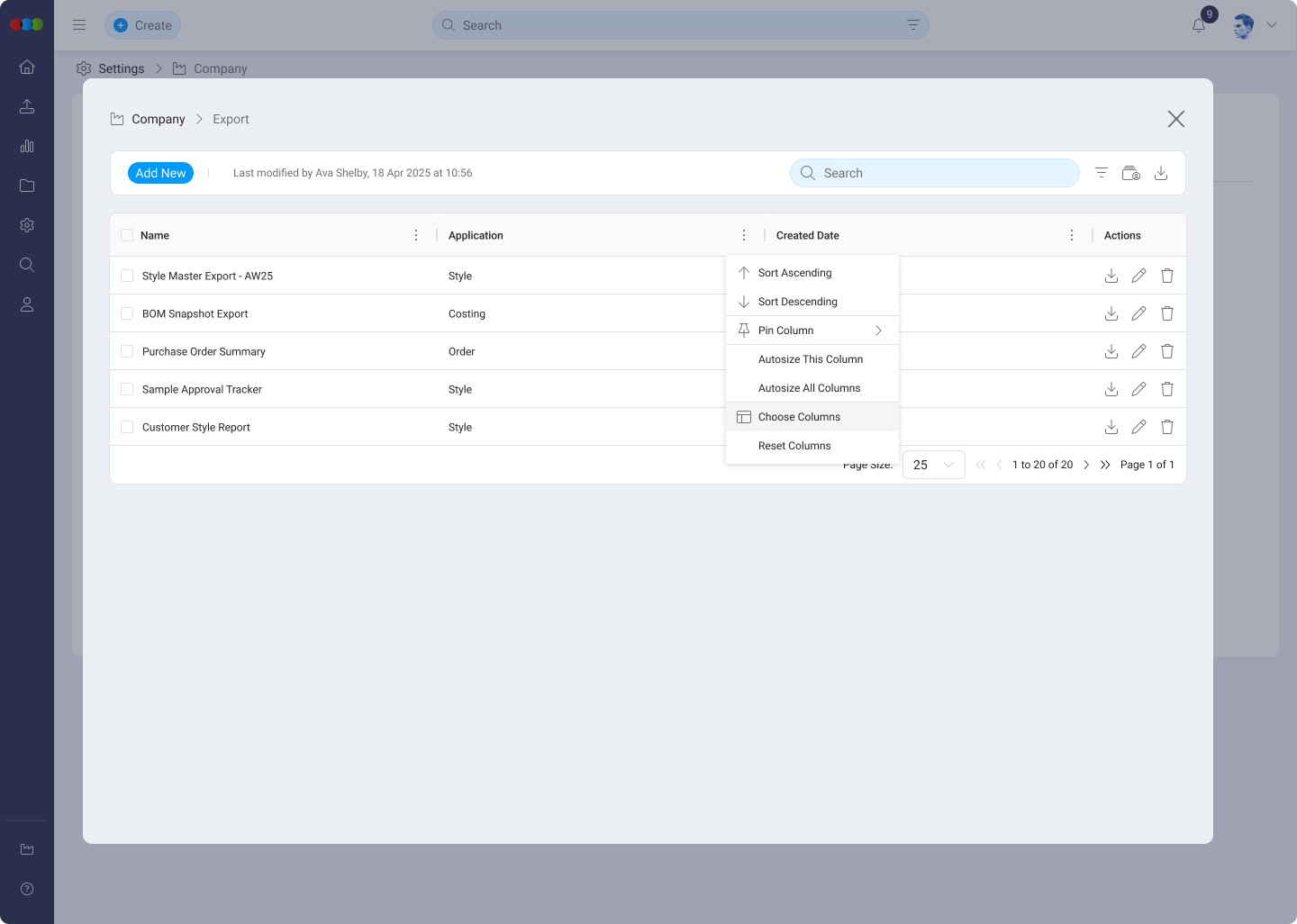
Table Flexibility
Users can tailor the table layout using the following controls:
| Feature | Description |
|---|---|
| Sort by Ascending or Descending | Reorder templates by clicking on any column header. |
| Pin Column | Lock important columns in place while scrolling. |
| Autosize This Column | Automatically resize the specific column to fit its content. |
| Autosize All Columns | Applies autosizing on all columns. |
| Choose Columns | Show or hide individual table columns. |
| Reset Columns | Return the table to the default configuration. |
Tip
- Create standard templates for recurring tasks such as monthly financial reports or weekly order summaries to ensure consistency and save time.
- Test for compatibility: when creating a new template, run a test export to ensure the format and data structure are compatible with any downstream systems, such as Excel or an ERP.
- Use specific naming conventions: give your export templates clear and descriptive names (e.g. "Monthly Style Costing - Finance") to make them easy for your team to identify.
- Use the Filter and Search features to quickly locate templates when managing a large number of export configurations.
Troubleshooting
Why is my downloaded file empty or missing rows I expected?
The Number of Days filter and Status (active/inactive) limit which records are included. Very narrow date windows or an inactive template can produce sparse output.
Steps to resolve:
- Edit the template and widen Number of Days or adjust the date range you use at export time.
- Confirm the template Status is Active if you are using saved templates from the list.
- Use Download again after saving changes.
Why does my CSV not open correctly in Excel or our ERP?
Delimiters, quoting, and headers must match what the consuming system expects. The Include " " (wrap fields in quotes) and Add Header options change how files parse.
Steps to resolve:
- Enable Add Header if the target system needs column names in row one.
- Toggle quoting if commas or line breaks inside fields break the import.
- Re-run a test export and import into a copy sheet before relying on the template in production.
Why can I not find a template in the list?
Large template libraries are easier to manage with Filter (by Application) and Search (by name). The template may also be inactive.
Steps to resolve:
- Set Filter to All or the correct application (Claim, Costing, Order, Style).
- Clear the search box and try a partial name match.
- Check whether the template was set inactive and re-enable it if appropriate.